Value Store
A Value Store is the container that holds the business data collected and manipulated during the execution of a Process.
Each Process Instance has its own Value Store (with the same id) , which stores the variables, Data Objects, Data Values, collections, and other runtime data required by that specific instance. The Value Store represents the business state of a Process, while the Process Instance contains the execution state, such as Tokens and Process metadata. By default, the Value Store of each instance is not accessible from other instances.
At a structural level, a Value Store is organized into scopes containing Data Entities that represent the underlying business data. Together, these entities form the complete data model for a Process Instance and provide the foundation for data handling, persistence, and Process state management within FNZ Studio.
Throughout Process execution, the Value Store is continuously updated as users provide information, scripts run, and Process activities modify data. To maintain consistency and support concurrent access, the Process Engine loads and updates the Value Store whenever Process data needs to be accessed or changed. Value Stores, along with Process Instance data (including tokens) are saved on the memory of each node and backed up on a secondary backup space called Cluster Storage.
Because Value Stores can grow significantly in size, especially in long-running or data-intensive Processes, FNZ Studio includes optimization mechanisms such as Value Store Splitting, which allows data to be loaded and persisted more efficiently.
Value Store Modules in FNZ Studio
You can check Value Store through two modules in FNZ Studio:
- Value Stores (Solution Maintenance > Processes > Value Stores)
- Data Entities (Solution Maintenance > Processes > Value Stores > Data Entities)
Value Stores
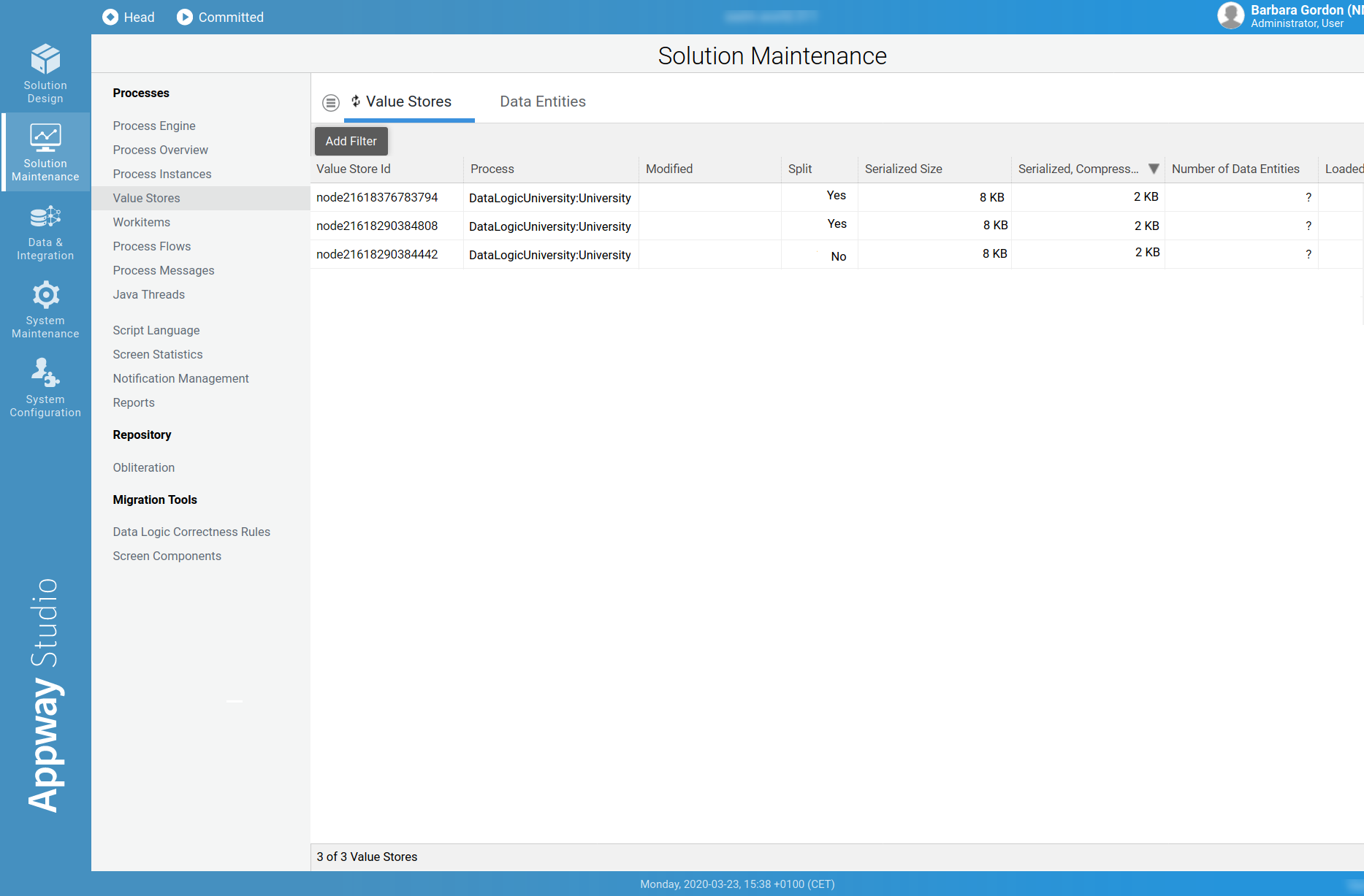
This module allows monitoring Value Stores. Following is a description of each column:
- Value Store Id: The ID of the Value Store.
- Process: The top-level Process which created this Value Store.
- Modified: The last modification timestamp of the Value Store (if empty, then this information is not currently available in the Value Store metadata index. The index is updated when the Value Store is modified for the first time after Cluster startup.)
- Split: Indicates whether a Value Store is split or not.
- Serialized Size: The size of the Value Store before placing it into the distributed map.
- Serialized, Compressed Size: The size of the Value Store in the distributed map.
- Number of Data Entities: Number of Data Entities in a Value Store.
- Loaded Ratio [%]: The percentage of data loaded per request in comparison to the total size of the Value Store.
- Changed Ratio [%]: The percentage of data changed per request in comparison to the total size of the Value Store.
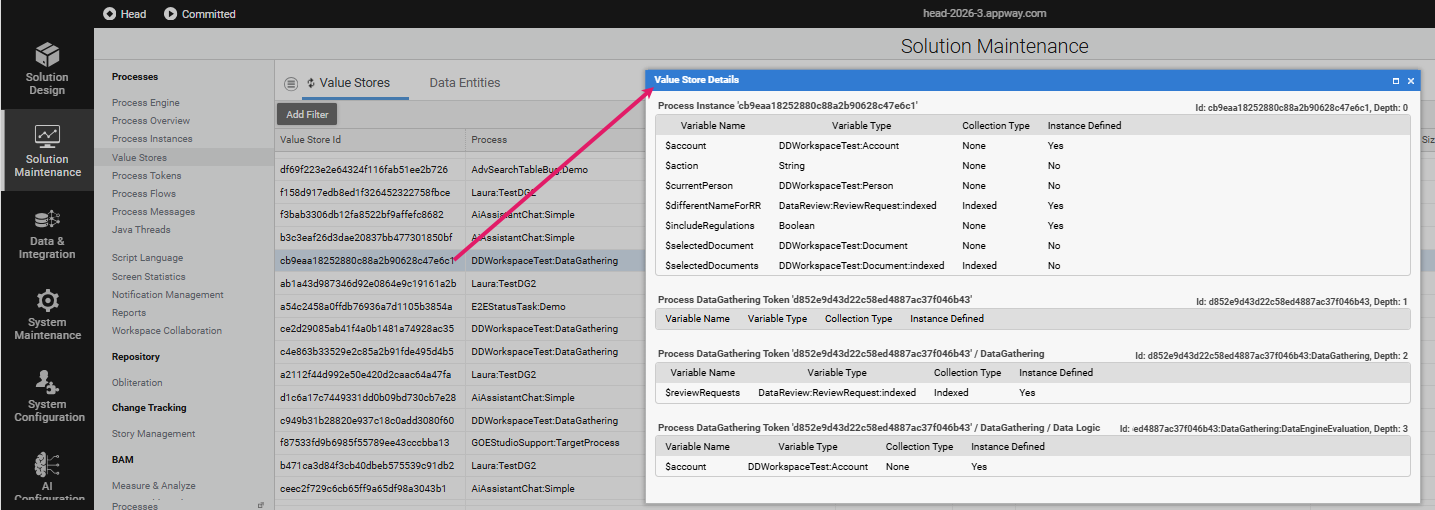
By right-clicking on a Value Store row and selecting View, you can see details such as variable names and types.
Data Entities
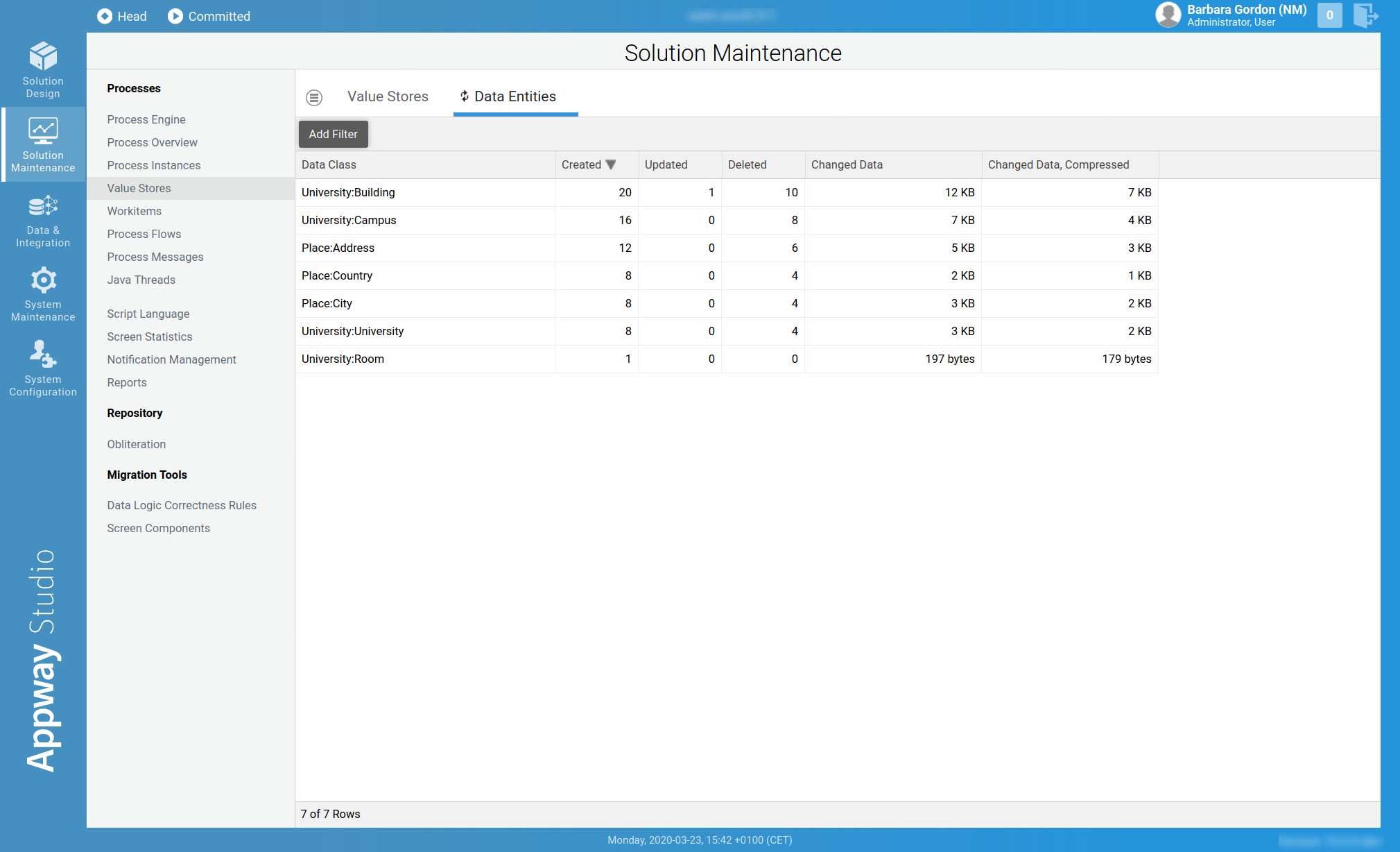
This FNZ Studio module provides information per Data Class. This is specially useful when looking for Data Classes that require a considerable amount of system resources, e.g. Data Classes that are very often created or updated, or Data Classes that produce a considerable amount of changed data. Following is a description of each column:
- Data Class: The Data Class to analyze.
- Created: Number of instances of this Data Class that have been created.
- Updated: Number of instances of this Data Class that have been updated.
- Deleted: Number of instances of this Data Class that have been deleted.
- Changed Data: Amount of data that has been modified and stored due to this Data Class, e.g. in Create or Update operations.
- Changed Data, Compressed: Changed Data shown after compression.