As an Appway administrator, I'm not sure how I can set the robots.txt on my Appway server so that web crawlers properly index (or hide) my site.
Appway has a built-in servlet called RobotsTxtServlet which handles the robots.txt file for your server. By default, Appway’s robots.txt is empty, which allows common search indexers (Google, Yahoo, Bing, etc.) to index your site. This enables clients to find your Onboarding solution through a search engine. This behavior can be changed to suit your specific business needs.
Detailed examples of robots.txt files can be accessed on the robotstxt website, but for this demo, we will place the below lines into our file, which will tell web robots to hide our site from search results:
User-agent: *
Disallow: /
The robots.txt file is handled by the RobotsTxtServlet in Appway, which can be configured using the nm.robotstxt.scriptfunction configuration property available at System Configuration > Configuration Properties in the Appway Studio.
The nm.robotstxt.scriptfunction configuration property accepts a Script Function as a parameter, which defines the behavior of robots.txt. In this example, we have a Script Function called RobotsTxt in the Base Package which contains the following content:
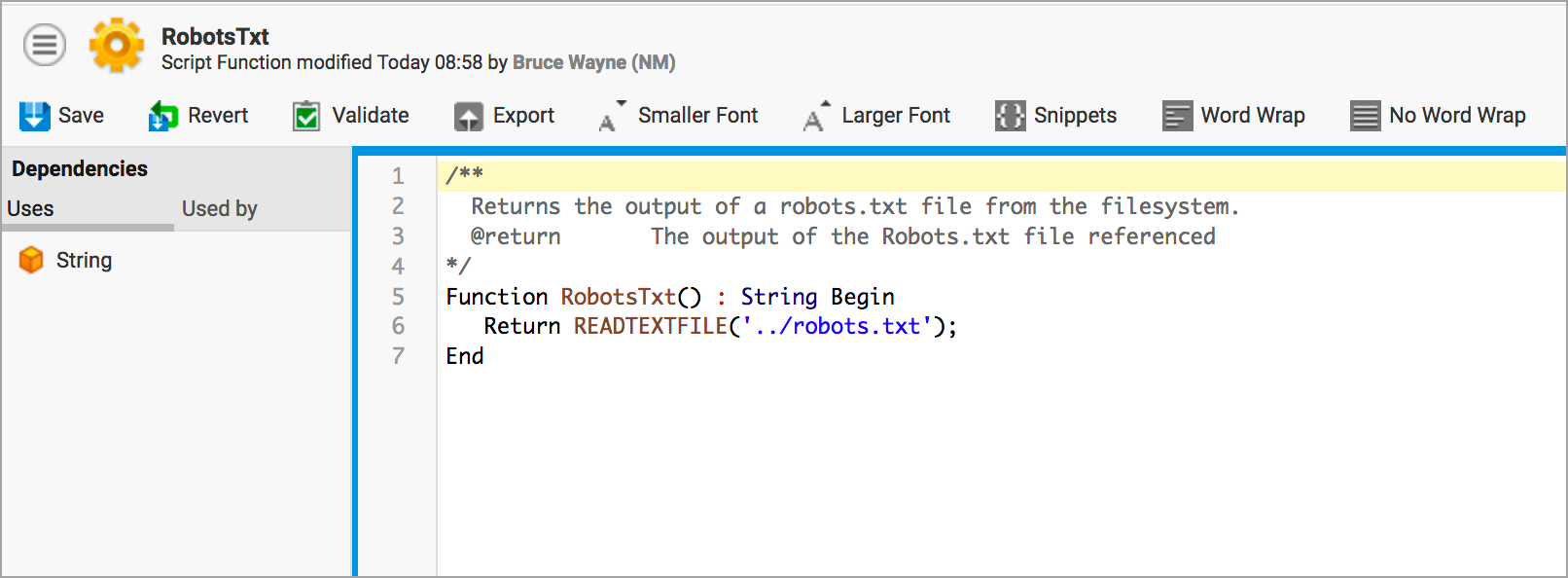
The READTEXTFILE function accepts a file path relative to the Appway Data Home directory. In our standalone instances, we have placed the robots.txt file one level above the Data Home, so ../ is used to go up one level.
Important: Only the committed versions of the RobotsTxt Script Function are used by this configuration property. If you make any changes to the Script Function, commit it in order for the changes to take effect.
The robots.txt file we have referenced has the following content (for hiding results):
User-agent: *
Disallow: /
If we access the robots.txt file through the browser (in the case of a local stand-alone, http://localhost:8080/robots.txt), the following text is returned:
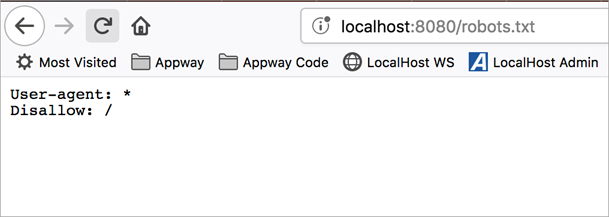
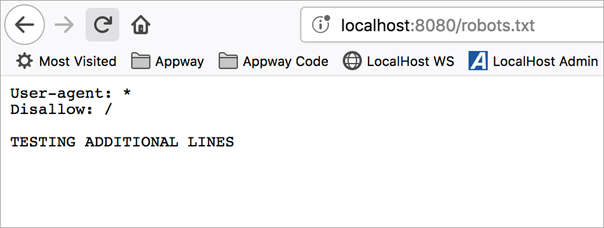
The servlet automatically reflects any changes we make to our robots.txt file. As an example, I have added the below line to the robots.txt file currently used by the server:
User-agent: *
Disallow: /

TESTING ADDITIONAL LINES
If we refresh the page on our website, the change is automatically applied as the resource in question (../robots.txt) is queried by the browser upon refresh:
Appway has a built-in functionality for managing robots.txt output of any server, which allows you to manage how your website interacts with search results.
To implement and customize the functionality, the best practice is to use the built-in nm.robotstxt.scriptfunction configuration property to reference an already created file. A string can also be hard-coded and returned instead of the Script Function, but this does not allow for easy management of the robots.txt content and would require commits between changes. By referencing a file, dynamic changes can be made to the content and automatically passed through to the crawler requesting the robots.txt file of your Appway installation.