I've realized that generating static PDFs does not fulfill my user requirements, as the content length may vary. I therefore want to generate a dynamic PDF in Appway. How do I do that?
A dynamic document is generated at runtime based on the data structure to be printed. The dynamic document format language is an XML-based markup language.
Why would you use a dynamic PDF instead of a static PDF?
A dynamic PDF is a PDF that can contain content of an unknown length, and expand to encompass all that content. When creating the PDF outline to be used, you as a developer do not know whether the content will fill half a page, a full page, or 12 pages—so you need to create a dynamic PDF.
Let's take an example: a bank statement. As you're designing the PDF to be generated, you do not know the number of transactions to be listed. You cannot accurately predict how many lines, or even pages, there will be in the PDF that will be generated.
An alternative use could be when a bank has two branches using the same document, but that document requires a different header depending on which branch produced the document. By using a dynamic PDF, which is generated at runtime, the bank can use a single Process to handle both documents.
In Appway, you can generate a dynamic PDF by using a PDF Output Business Object and referring to a PDF Output Table Business Object.
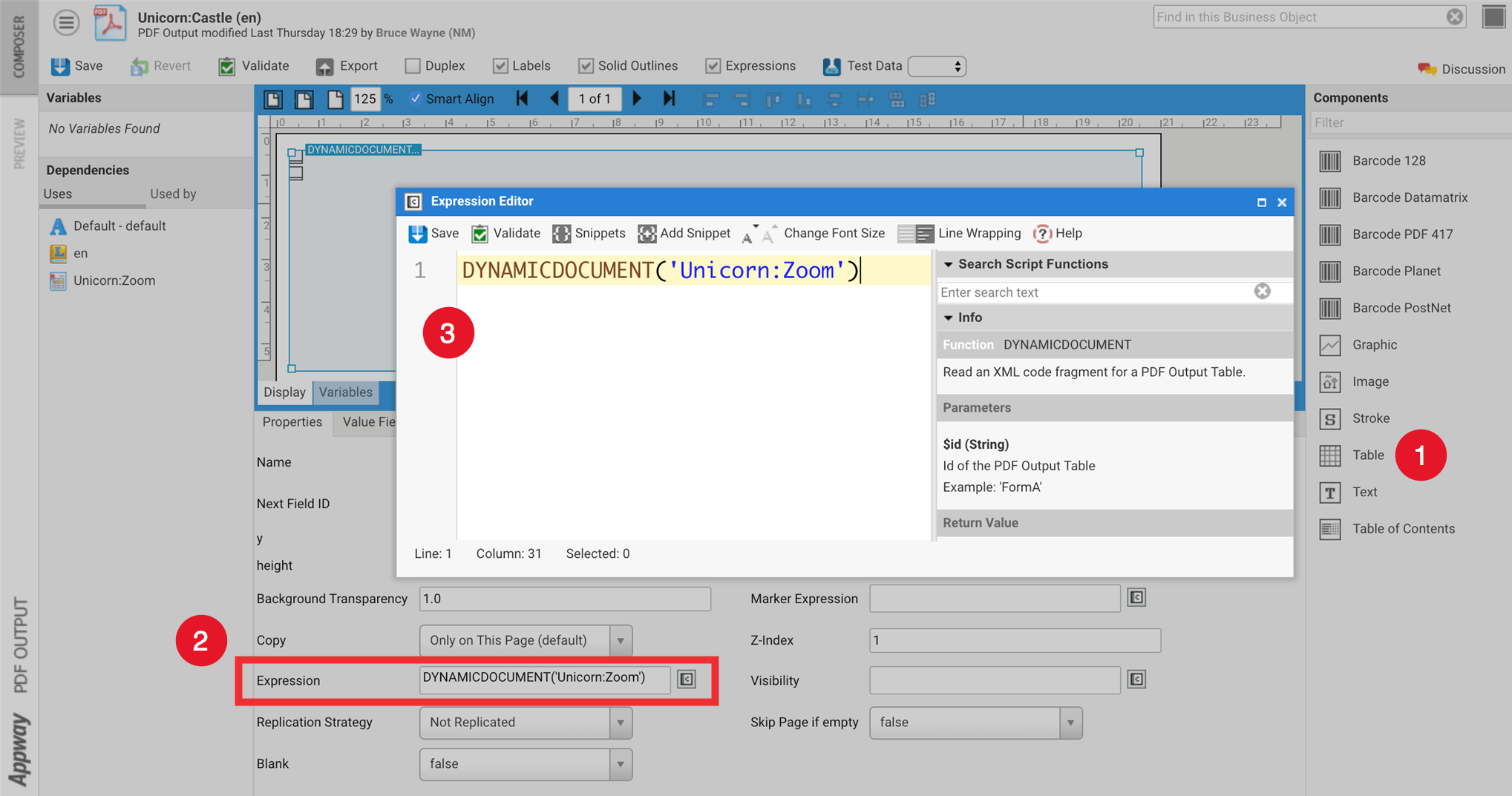
- Drag a Table component inside a PDF Output Business Object.
- Click on the 'C' icon next to the Expression field to open the Expression Editor.
- Call the
DYNAMICDOCUMENT() function and refer to the desired PDF Output Table Business Object.
It is the PDF Output Table Business Object that that is the key component in designing the dynamic content for your PDF.
See Enhanced PDF Layouting with Dynamic Documents for how to create a dynamic PDF that runs over more than one page.