I want to set the participant user expression of a Swimlane to the User who initiates the first task in that Swimlane.
I've used the function User:CurrentUserGetId to achieve this, but I’m now running into multiple issues when executing the subsequent tasks in that Swimlane.
How can I avoid these problems?
It is fairly easy to access the current user in context in Appway, as the product provides the following two functions out of the box:
User:Get() – Returns the currently logged-in User object (providing access to all the User’s attributes like the userId, first and last name, and user preferences)User:CurrentUserGetId() – Returns the userId of the currently logged-in User
The two functions above retrieve the User from a thread local variable set when the User establishes a new session with the server.
There are many scenarios where the User:Get() and the User:CurrentUserGetId() functions are adopted as an easy solution to access the current user. In most of those scenarios, however, the developer perhaps forgets to consider the consequences in case those operations are executed when a user is not in context.
For this reason it is recommended you ask yourself the following questions before using the User:Get() or the User:CurrentUserGetId() functions:
- Is this function always called in the context of an HttpRequest?
- Is there any potential troubleshooting activity on the backend that triggers a call to this function?
- Does my script still behave properly even if the function returns
null?
Whenever the User:Get() and User:CurrentUserGetId() functions are called in the context of an HttpThread, they correctly return the current, logged-in User who submitted the request. If those functions are called by a background thread, however, they do not have access to the aforementioned HttpThread local variable. This means the return value generated by a background thread will be null.
The implications of this behavior are significant.
The following two example scenarios examine the issues in more detail.
In this Process, the developer assumes that the User starts the task by clicking on a link or on a button, triggering an HTTPRequest.
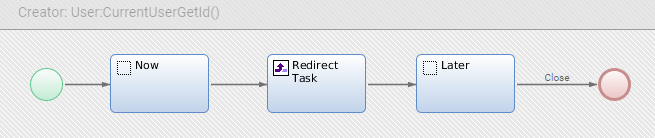
The first task ('Now') is correctly assigned to the User who clicked the link. After the Redirect Task, however, the Process Tokens are managed by a background thread — a thread that doesn't have access to the current user in context (as, technically, the user is not in context anymore).
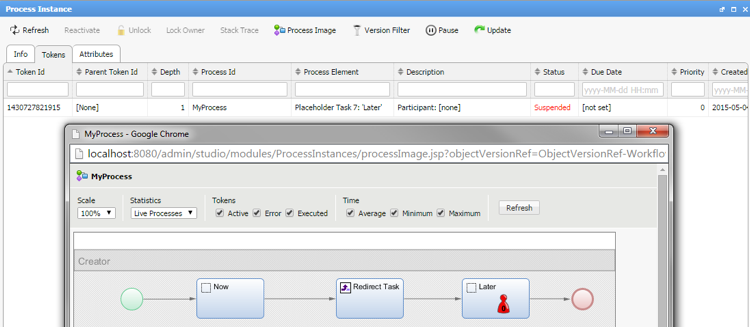
For this reason, the second task ('Later') is suspended: The engine is not able to evaluate the participant user expression set on the Swimlane when the token gets there. This situation is shown in the following figure:
Suggested solution
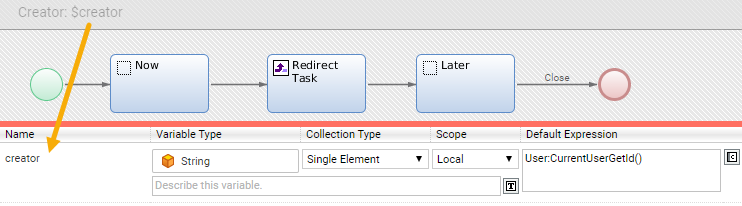
Define a variable (e.g. $creator), the value of which defaults to User:CurrentUserGetId(), but that "remembers" the value returned by the User:CurrentUserGetId() function at the time the Process was started - and keeps it in case any background processing happens.
This suggested solution is illustrated in the figure below:
Even if there is no Redirect or Intermediate task that hands over the control to a background thread it is still not a good idea to use the User:CurrentUserGetId() function directly in the Swimlane's Participant User Expression.
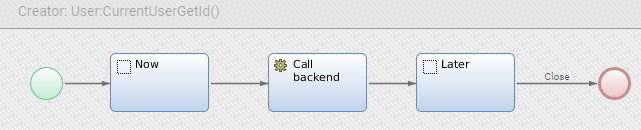
The call to the backend system illustrated in the figure above can fail, leading to the system administrator needing to issue a 'retry' action from the console:
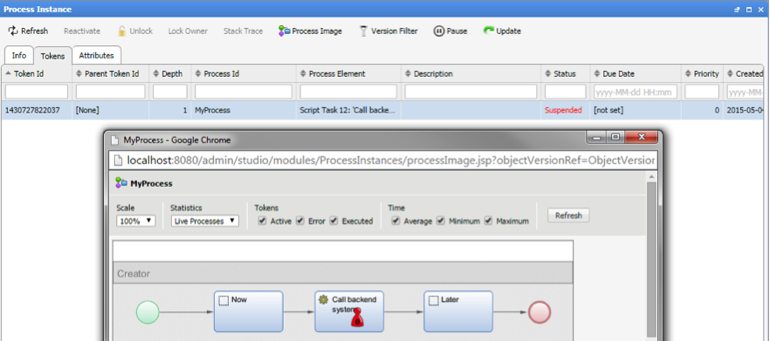
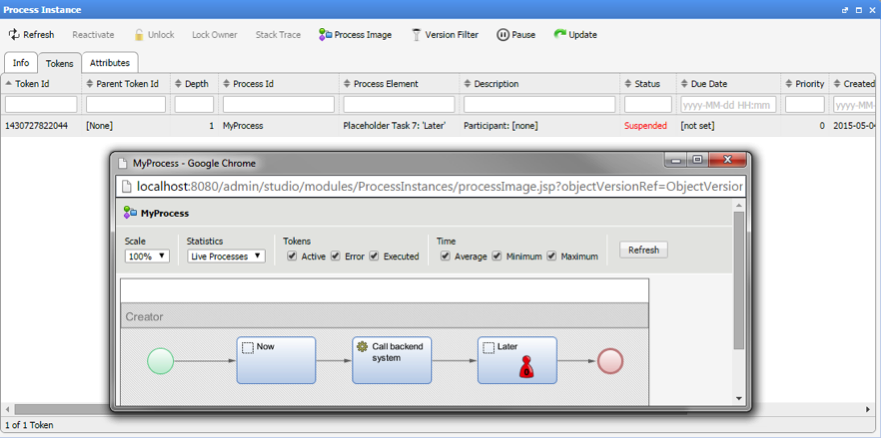
Unfortunately, even if the retry operation is successful, this scenario also sees the execution of the retry handled by a background thread (because the original creator of the task is gone). With a Process design such as that illustrated above, the Process is again suspended due to the missing participant in the Swimlane expression.
Suggested solution
We recommend:
- Introducing appropriate
null checks - Using other techniques, such as the one explained in the first scenario, that can mitigate the risk of a "null" user in context