Community Release Notes highlight the recent improvements we’ve made to the Community platform, so you can easily stay up to date on what’s new.
Our February features are designed to make your day-to-day life easier, like the ability to group Support tickets by project or category, and improved notifications.
Navigating around Support
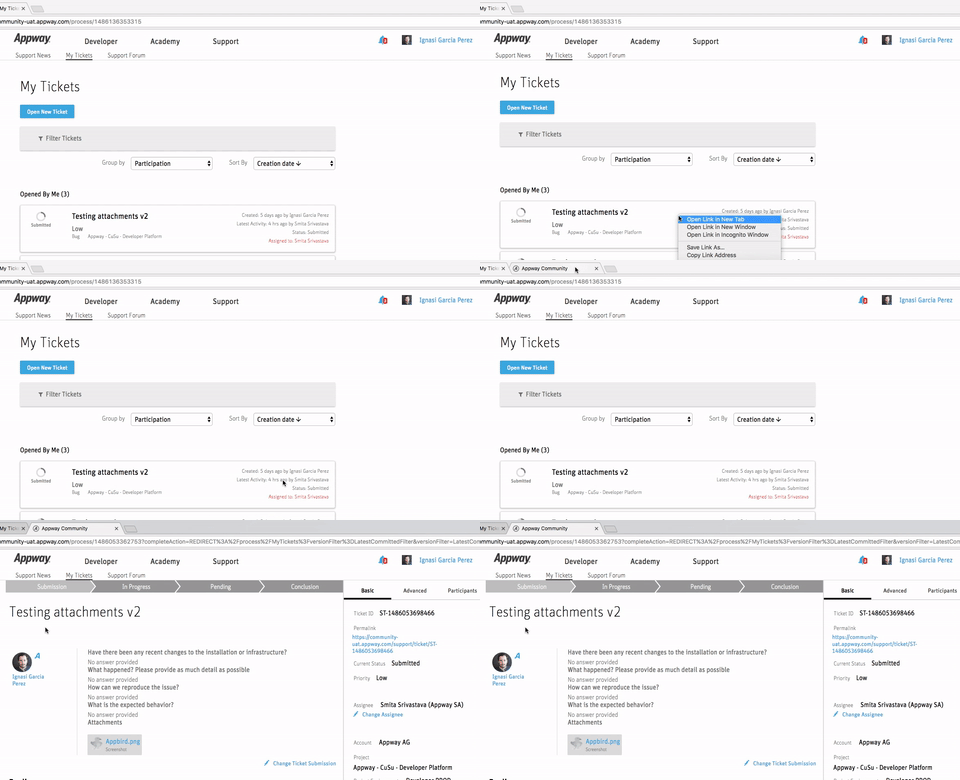
Forget about going back and forth, hunting for links, with this new feature! You can now display individual Support Tickets and Forum threads in new browser tabs when you open them from the respective overview page.
You can also right-click to share links with co-workers via email or instant messaging.
Redirection to tickets after logging in
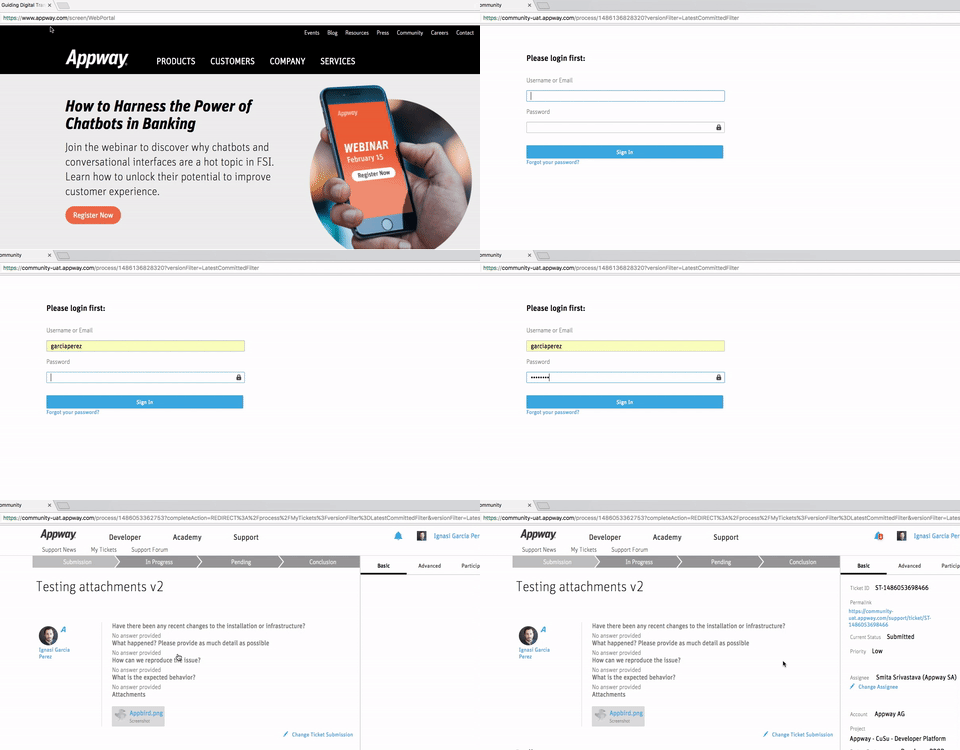
A small change with a large impact, we're happy to say that log-in now works with automatic redirection. Someone sent you a link to a Support ticket via email, but you weren't logged in when you clicked on the link? After entering your username and password, you're now automatically taken to where you need to go.
Improved notifications
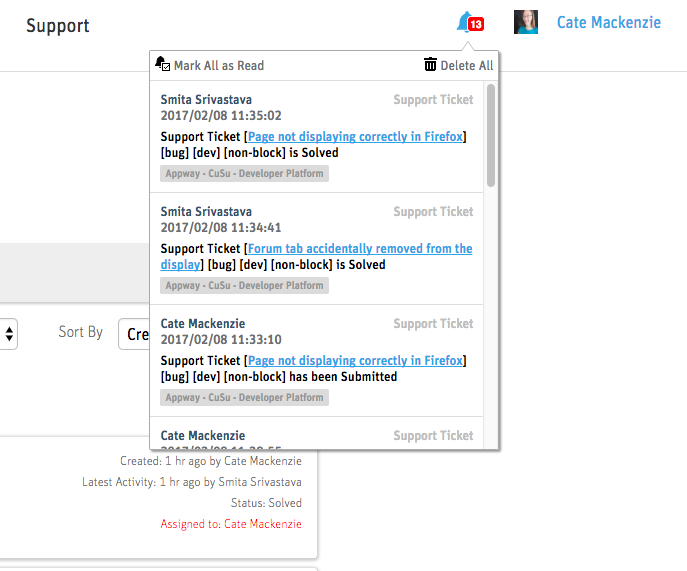
This is a small feature that also translates into a large gain in usability: Notifications refer to Support Tickets by name, instead of just by the ticket ID. It's now much easier to understand which tickets you're being notified about.
We also worked on making email notifications clearer. We added information about the Ticket Creator to the email, so you know who was initially affected by an issue, or was requesting something.
If a ticket you're involved in has been solved, your notification email now also includes a summary of the ticket. If your ticket has been rejected, your notification email includes an explanation of why it was not accepted (yet).
"Filter By" and "Group By"
We received a lot of feedback about how Support tickets could be grouped and filtered on the "My Tickets" page. Different people have different approaches to handling their tickets, and we want to help you work in the way you prefer. We took the most popular options, and added them to the UI.
You can now group your tickets by:
- Participation
- Project
- Category
- Phase
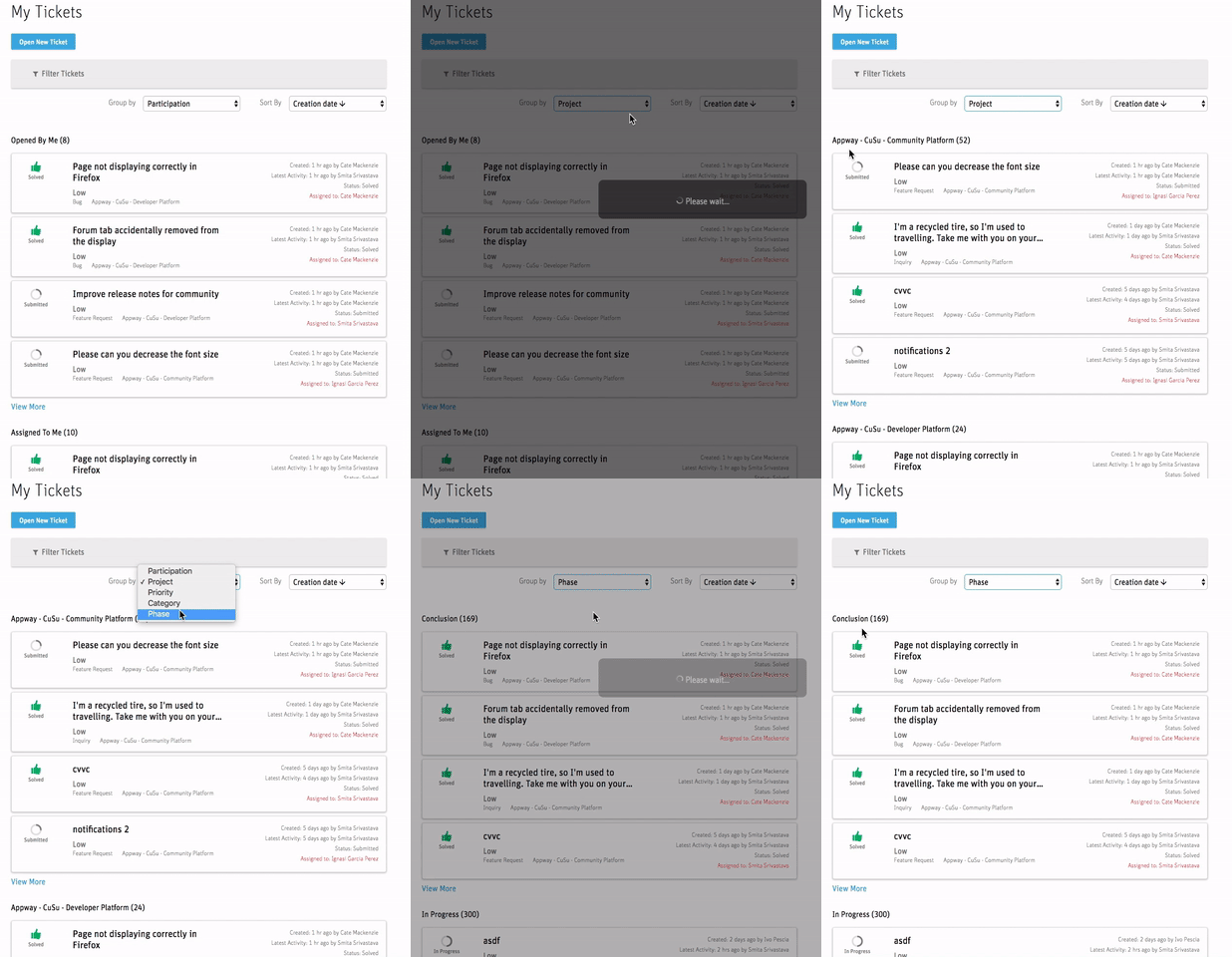
And you can use the following filters to pinpoint those tickets that really matter to you:
- Assignee
- Creator
- Environment
- Dates
- Participation
Attachments in tickets
Finally, we wanted to let you know that we fixed a couple of issues we were having with attachments in the Support system. When you're creating a ticket, you can now remove an attachment (in case you accidentally uploaded the wrong file).
We also adjusted the attachment process so that files are uploaded even if you haven't completed all mandatory fields yet. You'll still need to fill out those fields before submitting your ticket, but your attachment won't be affected by screen validation.
Any and all feedback on this latest release is very warmly welcomed! Please contact us at community@appway.com