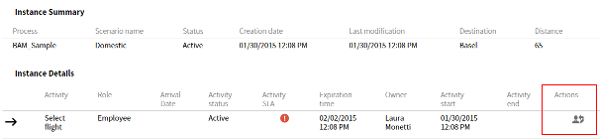
I installed BAM and the out-of-the-box dashboards. Now I would like to add a "Reassign" action to the BAM dashboards. How can I add a new "Actions" column in the dashboard tables and implement a custom "Reassign" action at activity level?
The custom Actions column at the activity level can be defined by enabling it, and then customizing the appropriate Include Screen which implements the action.
To achieve this, follow these steps:
- In the BAM_DefaultFeatures catalog, enable the activity details actions by setting the conf column for the activityActionsEnabled entry to
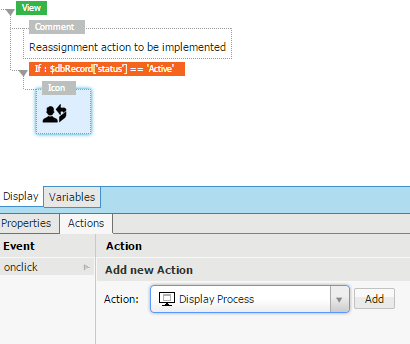
true. - Customize the BAM — Include — Activity Actions Screen to open the reassignment flow used in your specific project. This can be achieved by selecting the existing sample reassign icon, and adding a Display Process action to it as shown below.
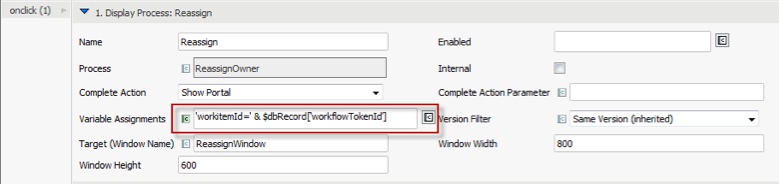
In the most common implementations, the reassign flow must be triggered by passing the workitemId of the workitem to be reassigned as an assigned variable. This is the corresponding configuration:
'workitemId=' & $dbRecord['workflowTokenId']