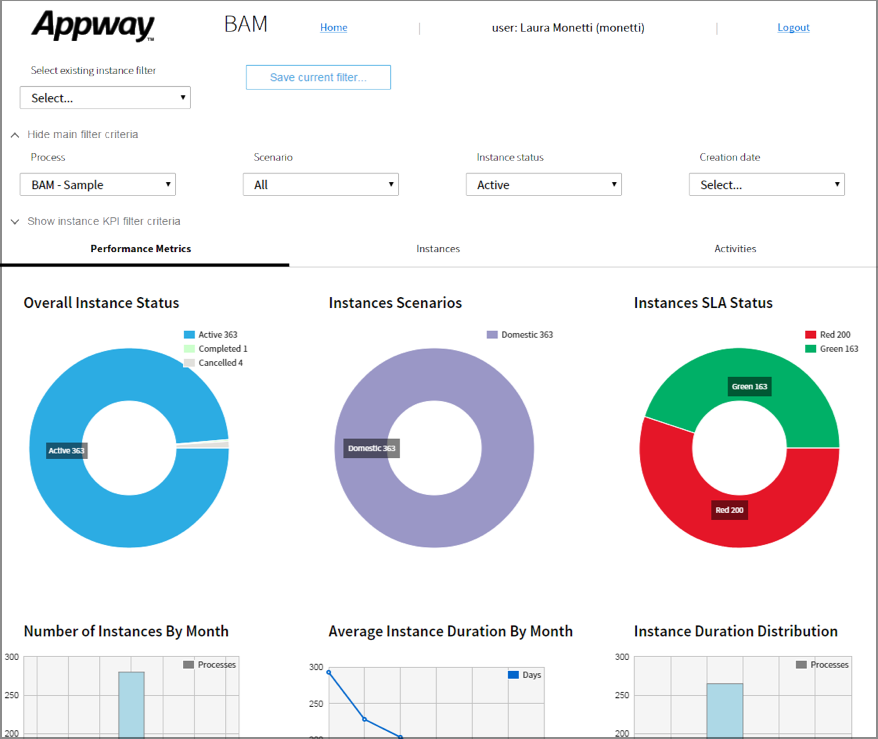
I installed Appway BAM and the out-of-the-box dashboards that came with it. I would now like to apply the Screen template (header, menus...) used across my solution to the BAM dashboards. How do I do that?
Note: This article applies to BAM versions 3.4 and 3.5
If you already have a defined Screen template in use in your solution, that template can easily be applied to the BAM dashboards.
A Screen template often includes elements such as a header with a company logo and custom links, and a navigation menu on the left or right side of the Screen.
In order to apply the same Screen template to the BAM dashboards:
- Identify the template Screen you wish to apply to the dashboards
- Go to System Configuration > Configuration Properties
- Click the menu icon next to the Configuration Properties title to open the dropdown menu
- Select Edit Content Configuration
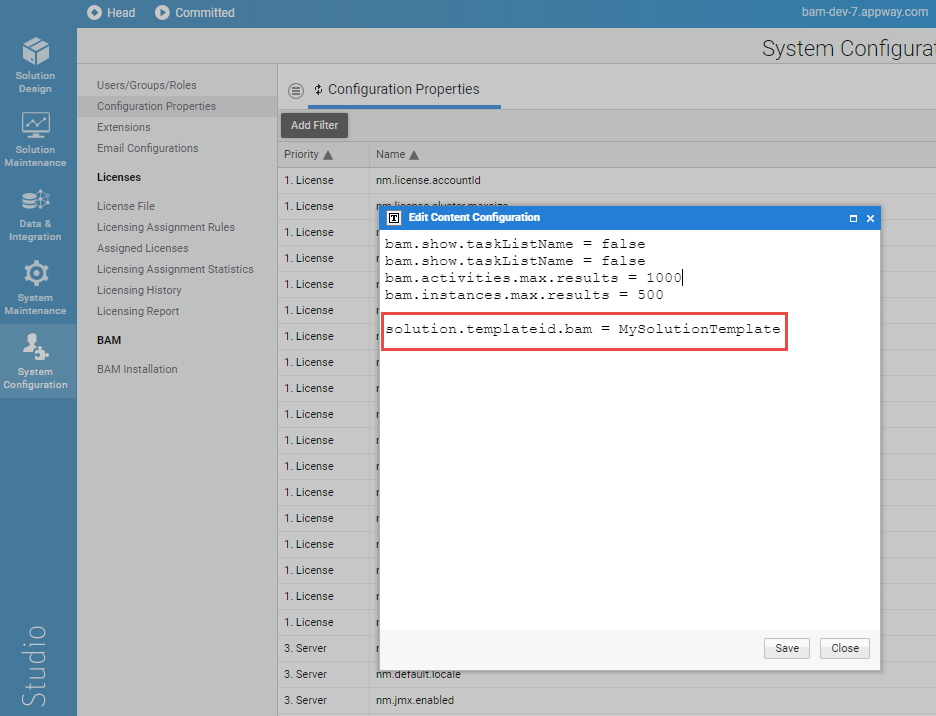
- Add an Appway configuration property with ID
solution.templateid.bam, and a value equal to the ID of the identified template screen
The screenshot below shows an example configuration for a template called MySolutionTemplate.
The selected template is then applied to the BAM dashboards immediately.
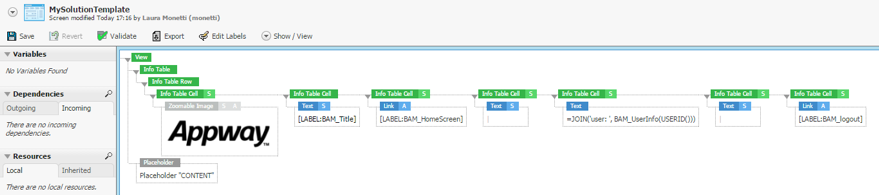
The BAM dashboard content is placed inside the CONTENT placeholder of the selected template. No other placeholder is filled.
In the example below, the template simply contains a sample header:
Result: