I'm not sure how Integration Link versions are selected — or how the Version Filter impacts on execution of the Integration Link.
Even though you may have many different Integration Link versions for a specific Integration Link in the Business Object repository, only one version will be running. This running version will be used by all Process Instances regardless of when the Process Instances were started, and regardless of when the Integration Link was started.
Here's an example Integration Link:
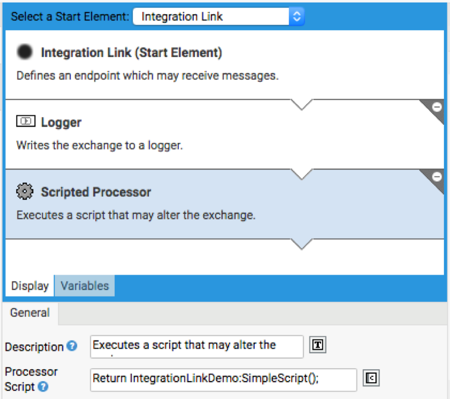
If you start this Link, all Process Instances will use THIS processor chain.
Most important to note is that the Return IntegrationLinkDemo:SimpleScript() script is executed for all calling Process Instances, regardless of when they were started. This is one of the key features of the Integration Link.
IMPORTANT! A common misconception is that the script is versioned, meaning that an old Process Instance retrieves an "old" version of the Integration Link model, and executes the script that was defined in that old version. Be aware: This is not how it works!
In your Process you use the Integration Link Task:
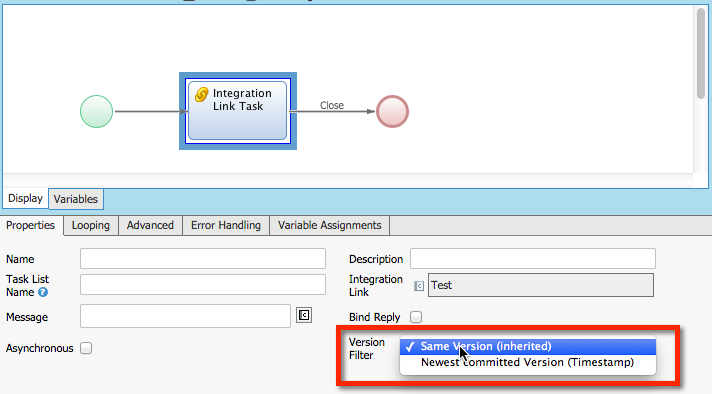
The Version Filter' property is used in the Integration Link during execution of the call to select referenced Business Objects.
Remember: It is NOT used for selecting the Integration Link version!
Another common misconception is that the version filter selects the Integration Link version. Again, be aware that this is not how it works! There is ONLY ONE version of an Integration Link running at any time for ALL Process Instances.
So, how does the Version Filter impact execution of the Integration Link?
Uses the Version Filter of the Process Instance to select Business Objects. In the example above it is used to select the definition of the Script Function SimpleScript. This allows old Processes to work with the mappings from/to Process structures that were 'active' when the Process Instances were created.
Problem: If the signature of the script function changes and the Integration Link uses that new signature, old Process Instances call the function with the wrong number of parameters. This happens because the version filter that is applied selects an old script function version which does not have the same number of parameters. It leads to an exception, and possibly to a suspended Process.
Creates a timestamp filter with the current system time. The filter can then be used to select Business Objects. This allows old Processes to work with the latest/newest mappings from/to Process structures.
Problem: The latest script function implementation is always called so there are no signature mismatch problems. However, the structures which are returned to the Process might not be 100% compatible with the 'old' model that the calling Process Instance requires.
As a simple demo we have created a Package (AW7) with two Processes, NewestVersion and SameVersion. Both Processes are identical, except for the version filter on the Integration Link function.
The Process begins with a Script Function which sets the version filter of the Process to 'now':
ProcessInstance().setVersionFilter(VersionFilter('TimestampFilter'));
Why are we changing the Process Instance version filter? The reason is because when you start the Process from the Process Editor, the Process Instance starts in 'Head' mode. Starting both Instances in 'Head' mode would mean there would not be any difference when we later commit a newer version of the SimpleScript function. Remember: When a user starts a Process from the Workspace, that Process Instance gets a timestamp. Based on this timestamp, a committed version filter is applied to the Instance.
The Integration Link is then called to run SimpleScript() and return the result.
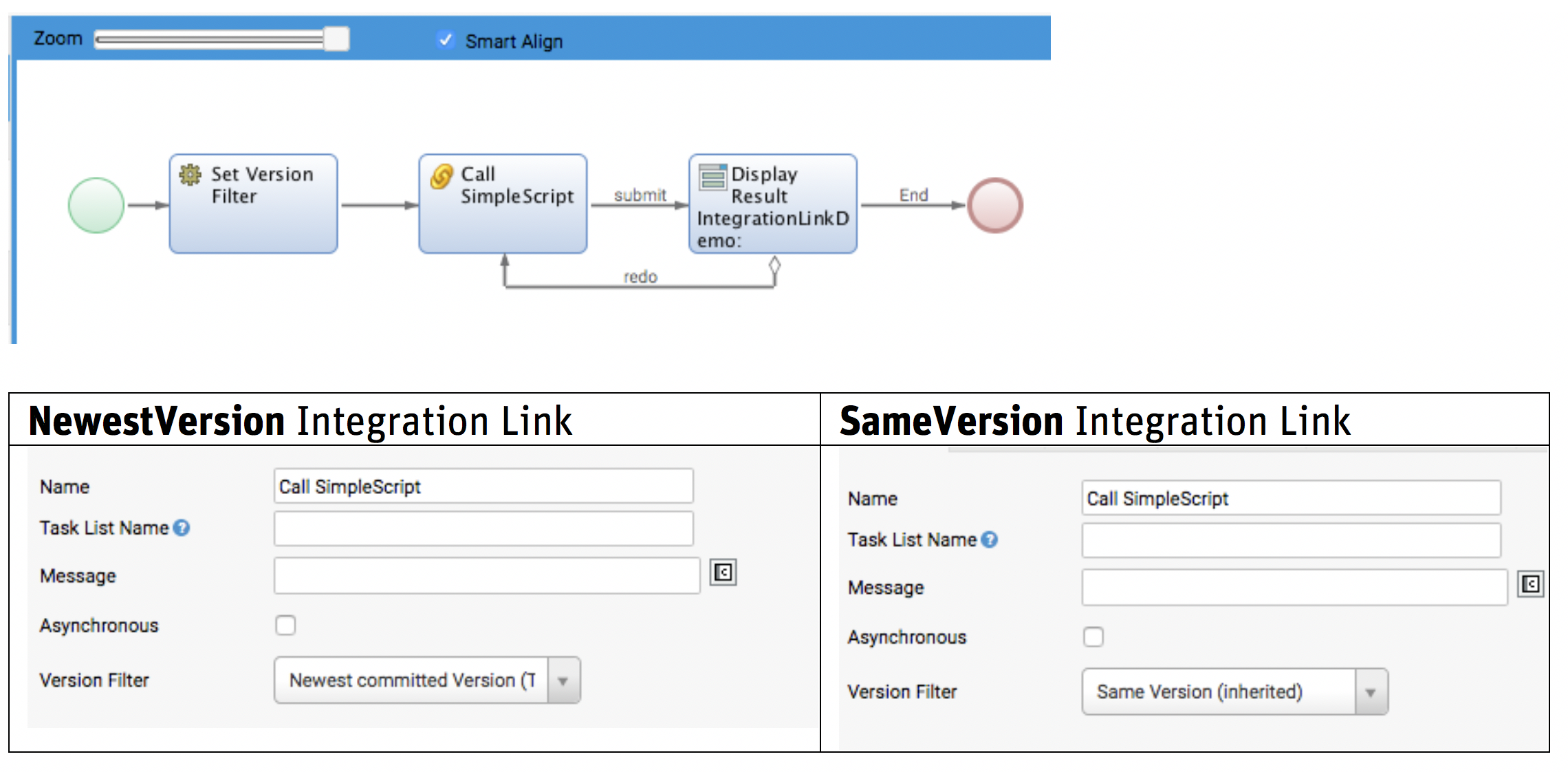
Here are the steps to follow:
-
Import the IntegrationLinkDemo Package (AW7), and start the Integration Link from the Data and Integration tab.
-
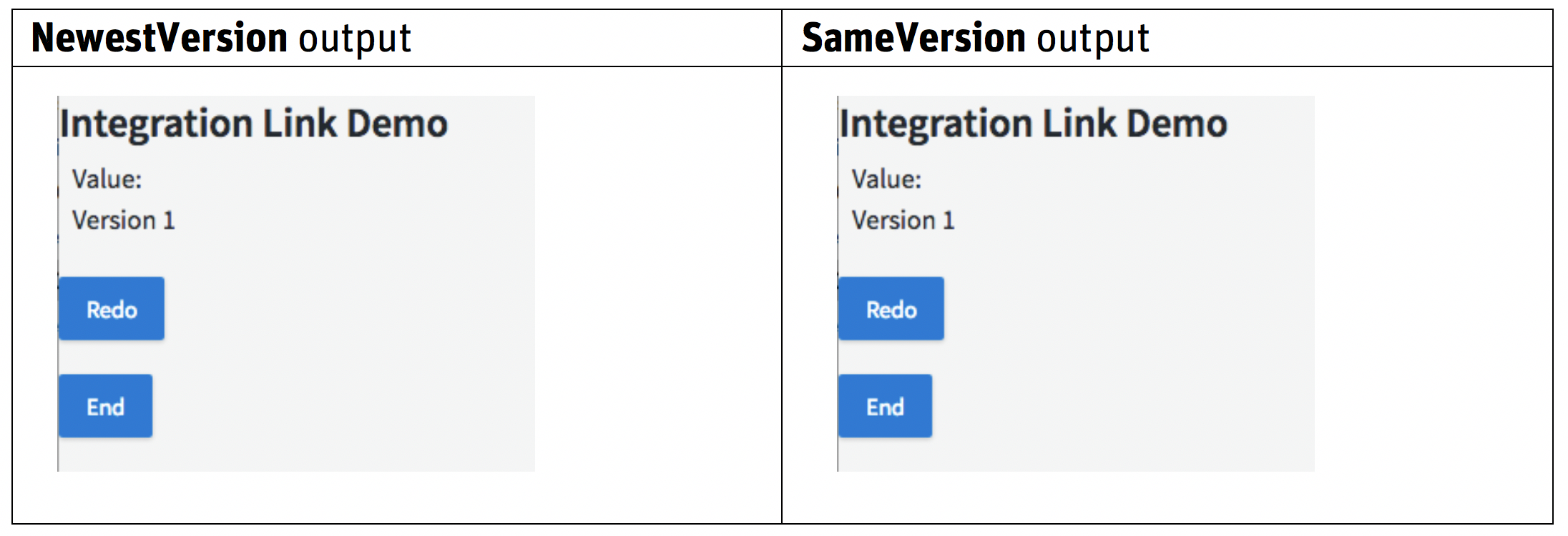
Start the NewestVersion and SameVersion Processes from the Studio. They both display the following output:
-
Edit the SimpleScript to return Version 2 instead. Save and commit.

-
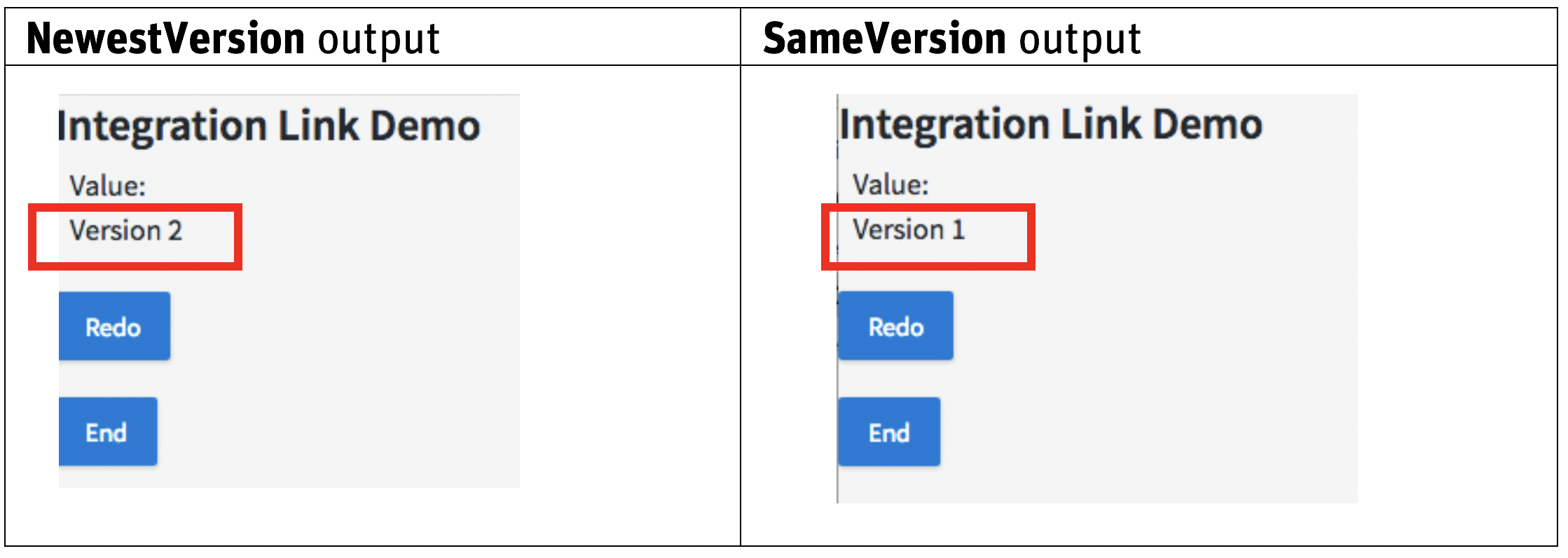
Go back to each of the running Processes and click the Redo button.
-
The NewestVersion Process is now calling the 'Newest Committed' version of the SimpleScript function: It's not using the Version Filter of the Process Instance.
-
The SameVersion Process is using the version filter of the Process Instance to select Business Objects. The version filter was set to 'Timestamp' before you made the new commit, so it does NOT get the latest version of the SimpleScript (and still returns Version 1).
The solution architect needs to evaluate the situation and select the most suitable strategy.
If the 'service structure' changes are small compared to the 'process model' changes, consider using the Newest Committed Version filter:
- This gives you most natural control over how structures are converted as the same strategy is used for every single callee.
- Fixes can be applied easily just by changing the involved script functions and Integration Link.
If 'service structure' changes are significant when compared to the 'process model' changes, consider using the Same Version filter. An example situation would be if a service is new, and still under development.
- The Same Version filter takes the specific conversion strategy which was built for the specific Process Instance version.
Attention: If you need to call different versions of the service for different Process Instances, this cannot easily be done using Integration Links. Integration Links are best used in handling cases where you deal with non-versioned services.