I would like to model an optional route in a process path. For example, I need to have a Screen and a Timer running in parallel; whichever triggers first should lead the process to carry on. How do I model this?
This simple approach does not work:
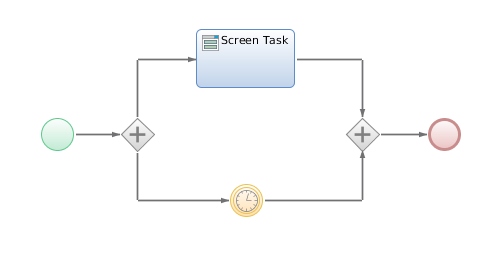
The reason is that, after you split two tokens, both tokens will be expected at the AND gateway. After completing the Screen task, the process would still wait for the Timer event to be completed. Similarly, if the Timer event was triggered first, you'd still have to wait for the Screen task to be picked up from someone's worklist and confirmed.
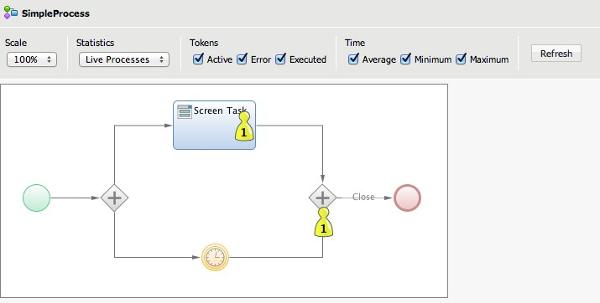
If the process must end right after the parallel activities, you can replace the AND gateway with a Terminate or a Cancel end event. Completing the Screen task or triggering the Timer event leads to terminating or canceling the process, thus consuming all tokens regardless of which path they are.
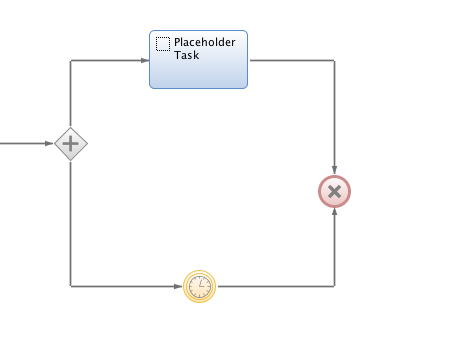
However, this is not applicable if your process must go on after one of the parallel activities is completed. Using another type of gateway such as XOR would not help either, as you would be left with two tokens instead of just one for the "winning party". Obviously, there's a little extra work to be done.
One part of the magic is a Signal component that you can use to interrupt a pending Screen task:
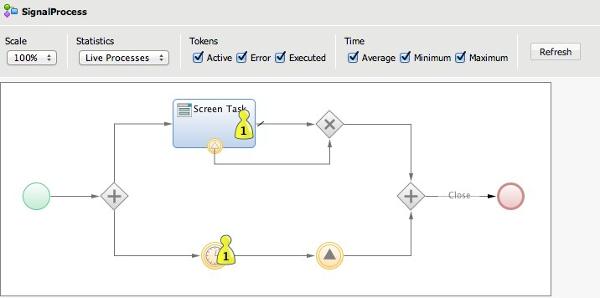
An XOR gateway can be used right after the Screen task, as you are assured to get only one token out from the two possible options:
- a regular Screen task confirmation
- an interruption sent via a Signal
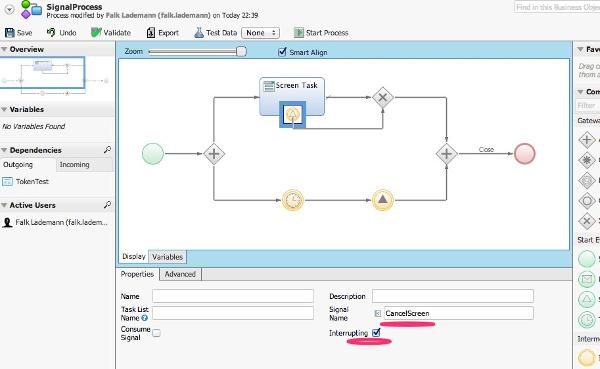
For the connection coming out of the Screen task, pick the Event:Receive Signal type. On the Intermediate event:
- Set the Signal name
- Check the Interrupting checkbox
Now let's head over to the production of the Signal.
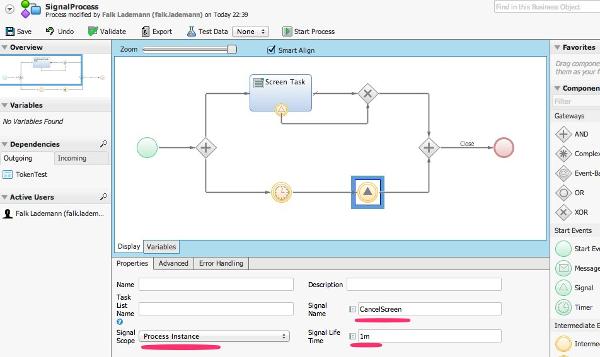
The interruption Signal is sent right after the Timer event is completed. The important Signal properties to configure are the following:
- Set Signal Scope to Process Instance (to avoid interference with others).
- Set an appropriate timeout for the Signal (optional).
- Define the Signal's name; it must match the name used for the Signal receiver on the Screen task.
You can now interrupt a Screen task (thus eliminating it from the worklist) in case a parallel activity like a Timer event raises a Signal for it.
The last missing part of the solution is to stop the Timer event before its timeout in case somebody completes the Screen task earlier. Unfortunately, Timers can not be interrupted just like Screens. To work around this, you can use a Script task to complete the other tokens.
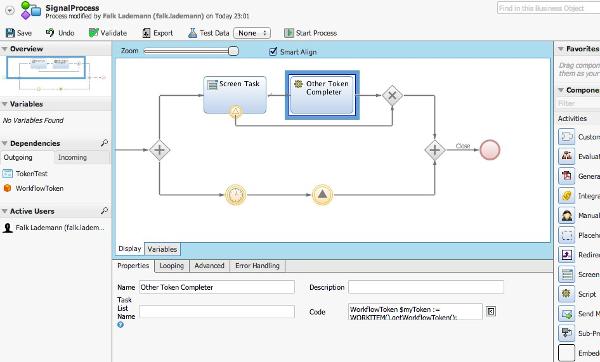
The script is fairly simple in this case: Determine what your own Token is, and complete all the others.
WorkflowToken $myToken := WORKITEM().getWorkflowToken();
WorkflowToken $token;
ForEach $token In ToIndexed(ProcessInstance().getWorkflowTokenSet().getTokens(false), WorkflowToken) Do
   If NOT($myToken == $token) Then
      $token.setStatus('Completed');
   End
End
You don't mind a Signal being created here, as there is no receiver for it anymore and the Signal is removed after the timeout period you set.
This script finally unites all tokens at the AND gateway and merges them into the original single token.
You now have a process with a Timer and a Screen running in parallel. Your business users can use it to interfere in an otherwise fully automated process.