Updating Ajax areas may take some time, like when performing a remote service call. In such cases, you may want to display some feedback to users, like a waiting wheel for example. You can achieve this easily with the Ajax Throbber screen component.
The Throbber Component provides a number of options:
- Modal — If the "Modal" checkbox is checked, the user is prevented from interacting with the Screen while the Ajax update is running. Note that if you've set the Ajax update action to be synchronous because you wanted to prevent user interaction, it's better to make the call asynchronous, and enable the "Modal" option. The modal overlay's style can be changed using the
AppwayAjaxThrobberOverlay CSS class. - Timeout — If you set a timeout in milliseconds, and the Ajax update finishes faster than the timeout you've entered, the Throbber won't be shown. This can be used to prevent flickering, when lots of quick Ajax updates occur.
- Overlay — This shows the Throbber inside a pop-up overlay. If that option is checked, the width and height of that overlay must be set. The style of the overlay can be changed with the
AppwayAjaxThrobberWindow CSS class. - Animation — This gently fades the Throbber in and out when it is shown and hidden.
- Affected Areas — A comma-delimited list of Ajax Update Area IDs linked to this particular Throbber element. The Throbber is displayed when the listed Ajax Update Areas are updated. The Throbber is hidden for all other Ajax Update Areas.
If this field is empty, the Throbber is displayed for all Ajax Update Areas that are updated.
This section explains how to show a Throbber while Appway is refreshing an Ajax Update Area.
NOTE: This example only works when the Ajax Update Area is updated asynchronously. In the Ajax Update Action, you can turn off asynchronous updates. If you do that, the web browser locks up during the updates. This prevents Appway from showing a Throbber. If you're trying to add a Throbber and it doesn't show up, make sure that "async" is checked in the Ajax Update Action. Since it usually doesn't makes sense to have synchronous Ajax Update Areas, "async" should be checked in almost all cases.
Let's set up a basic situation: an AJAX Update Area which renders a new unique ID.
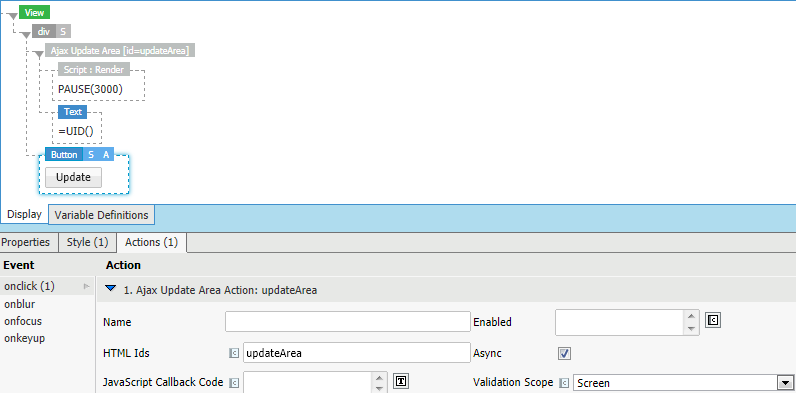
Figure 1: Thobber setup
To make the example work slowly, add a script to insert a three-second pause inside the Ajax Update Area. Otherwise, the update is too fast to see the Throbber.
When running this example, click on the Update button. For three seconds, you'll see nothing happen. Then the ID is updated.
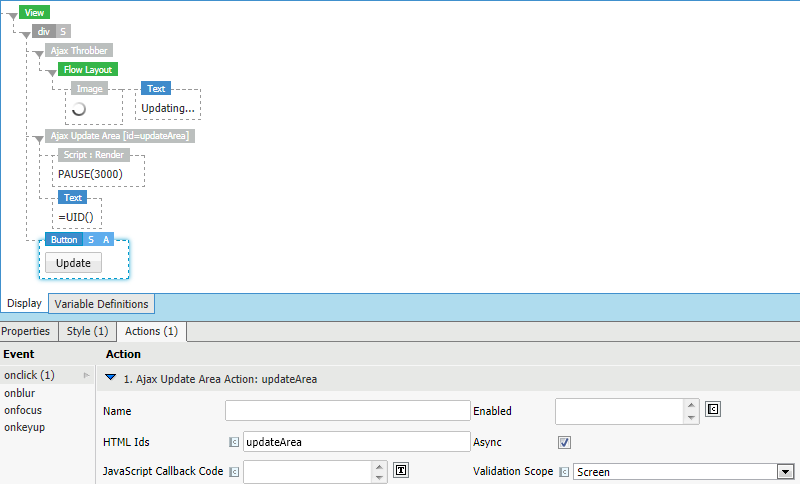
Figure 2: Throbber usage
Simply add an Ajax Throbber component and insert any message. In this example, we use a spinning wheel with a text message. That's it: The Throbber now appears automatically during Ajax Update Area actions.
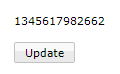
Figure 3: Screen before update
When rendered, the screen looks as always. The Throbber content is hidden.
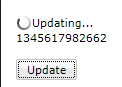
Figure 4: Screen while updating
Clicking the Update button enables the Throbber's content. When the update is over, the screen looks the same as it did before the update.