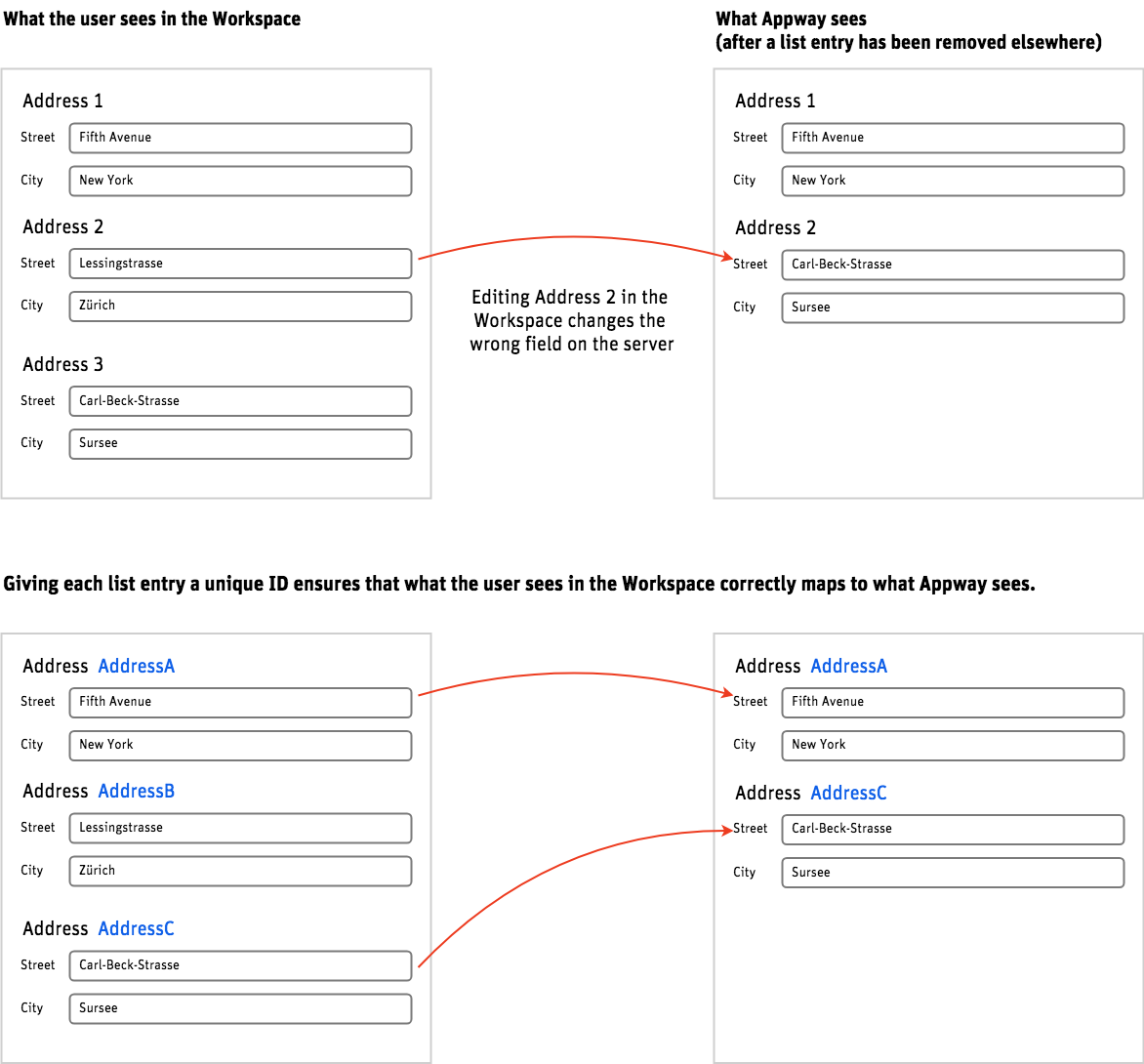
In a process-oriented application that allows collaboration, users may access the data model concurrently, meaning clashes in data entry are possible. This issue is particularly pertinent when using looping components in your Screens: an Indexed Collection can change in the background while your user is looking at the Screen, and this can lead to data loss.
Using the Iteration ID property of the looping Screen Components — 'For', 'For Each', and 'While' — you can define a globally unique identifier for the object in the collection you are iterating over. This way, possible concurrent changes of the collection are reflected correctly and do not result in data loss.
In this example, I have a Screen where clients are displayed in separate sections, according to their client type, but stored in the same Indexed Collection. Each section has its own separate Ajax Update Area, and its own delete buttons.
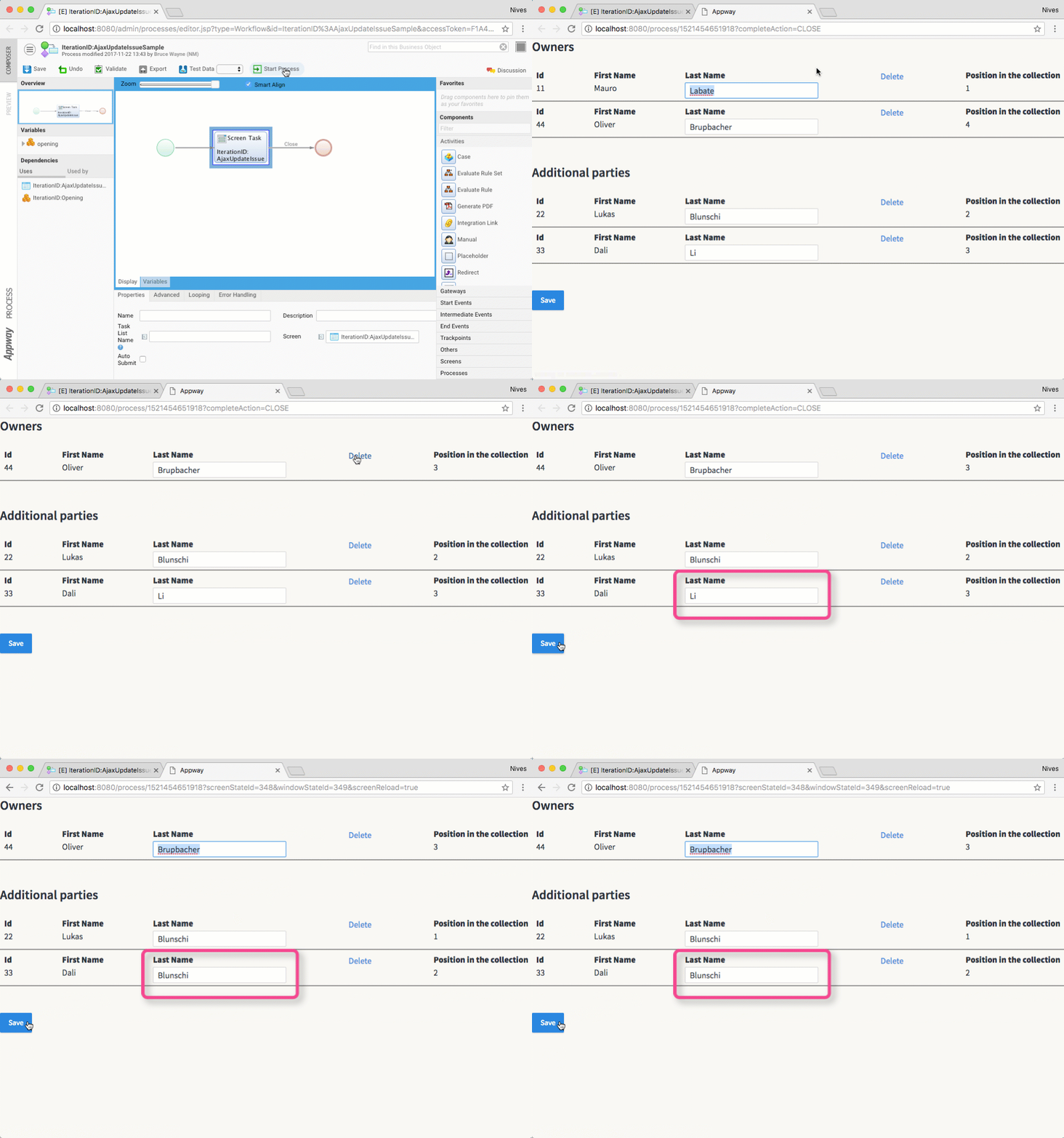
When I delete a client in a section, I expect the other clients to be unaffected. However, deleting a client causes other client attributes to be overwritten.
How can I prevent this from happening?
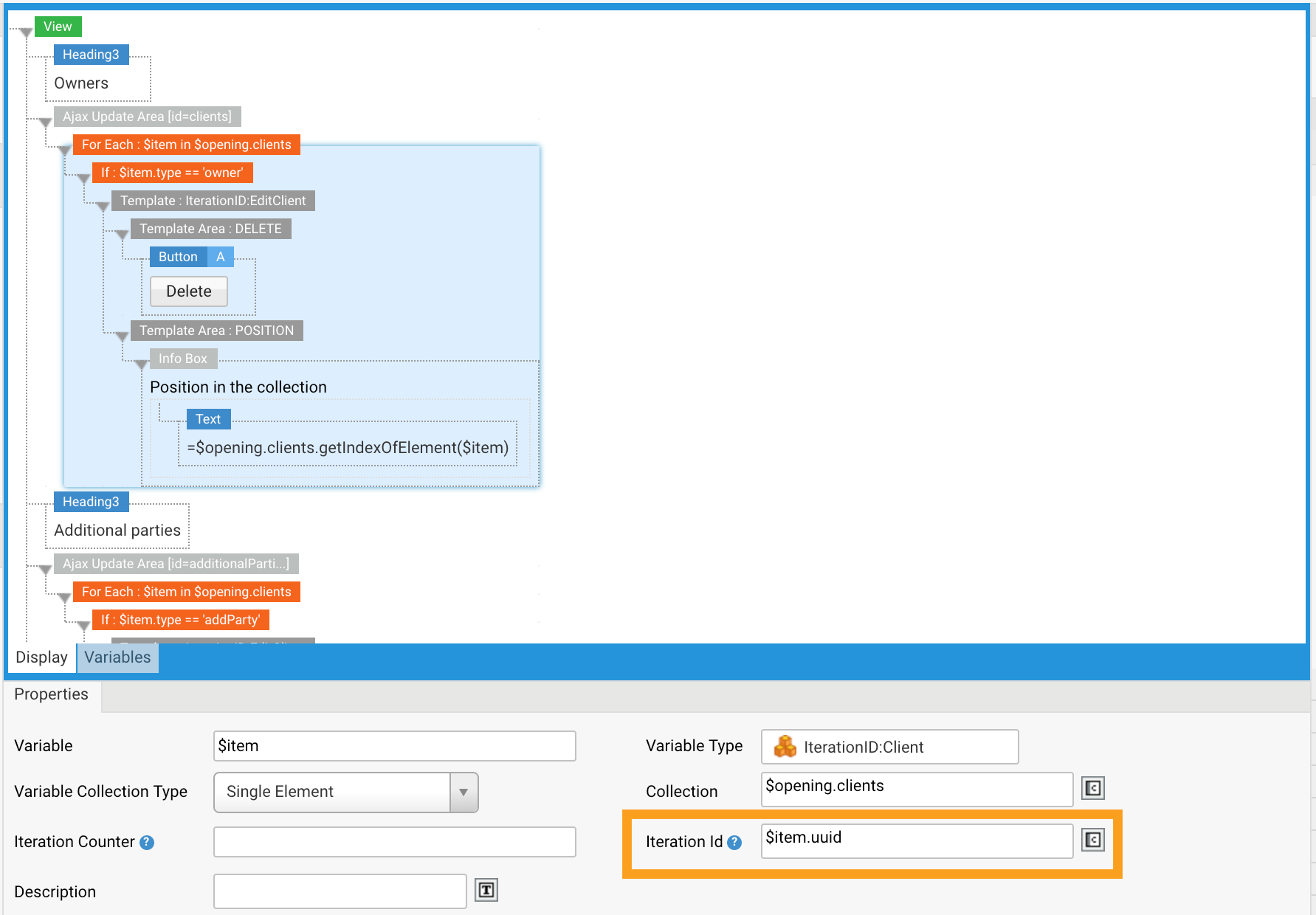
To resolve this issue, I add the UUID as a property to the Client Data Class: I then use this UUID as a globally unique identifier for the object in the collection, and assign it to the Iteration ID.
Instead of the UUID property, you can use any expression in the Iteration ID field, as long as it evaluates to a unique value for each iteration.
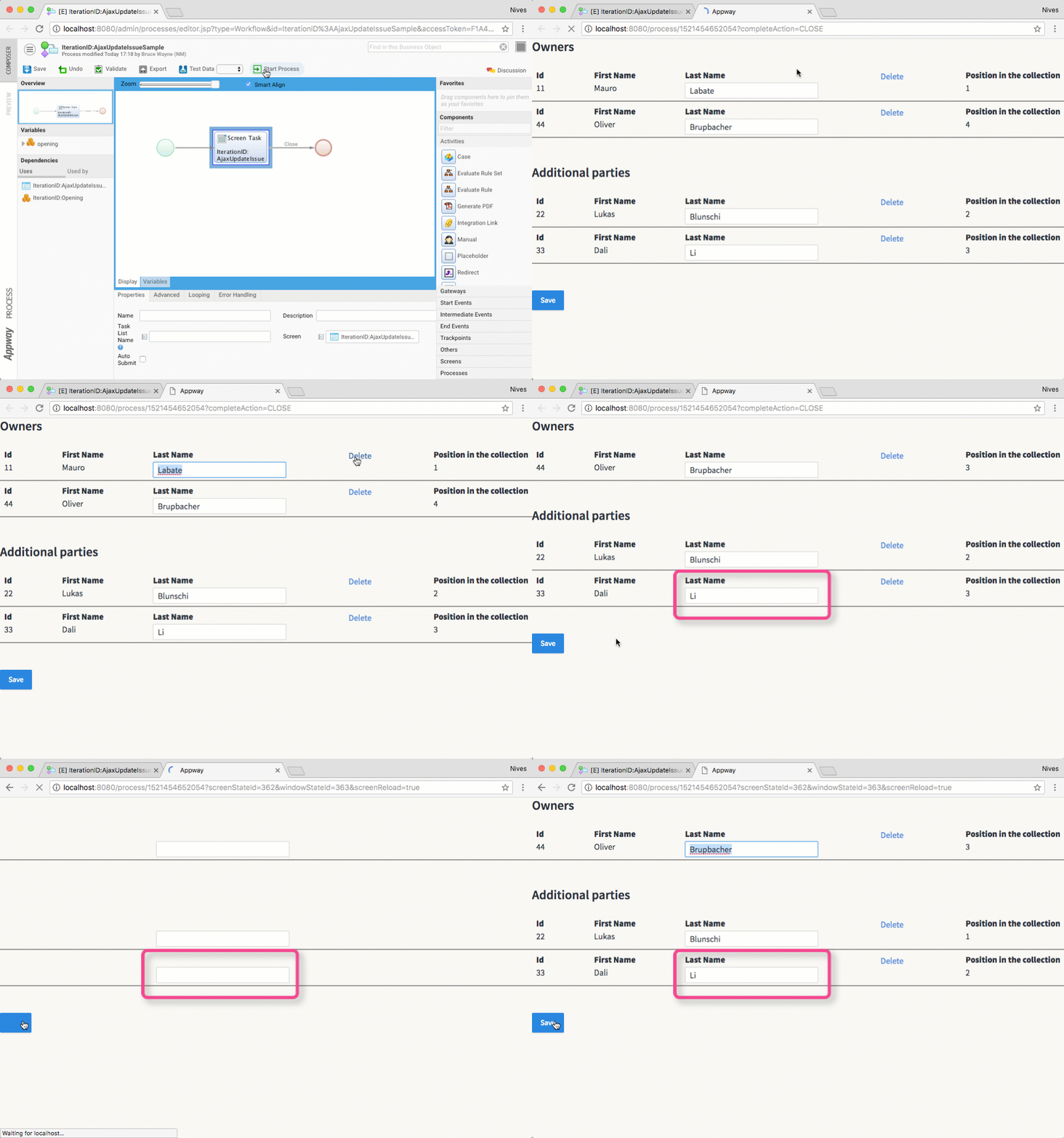
Having done this, my data no longer gets corrupted:
You should use the Iteration ID whenever you are looping over a collection: it is difficult to guarantee that the data will not change in the background as users perform their tasks in the Workspace.
You can find the .awdeployment file containing the solution here: Iteration-ID.awdeployment