Community Release Notes highlight the recent improvements we’ve made to the Community platform, so you can easily stay up to date on what’s new.
Our May release seriously boosts site usability, centered around our Knowledge Base. We also made improvements to Support and launched a new Blog series.
A light grey, unassuming line and a magnifying glass at the top right of the Knowledge Base. Type your query and delve into the content you're looking for. Search is here!
Select an article from the dropdown, or hit Enter to go to the full results page. We've highlighted where the search term appears in the search results, so it's even quicker to find the content you need.
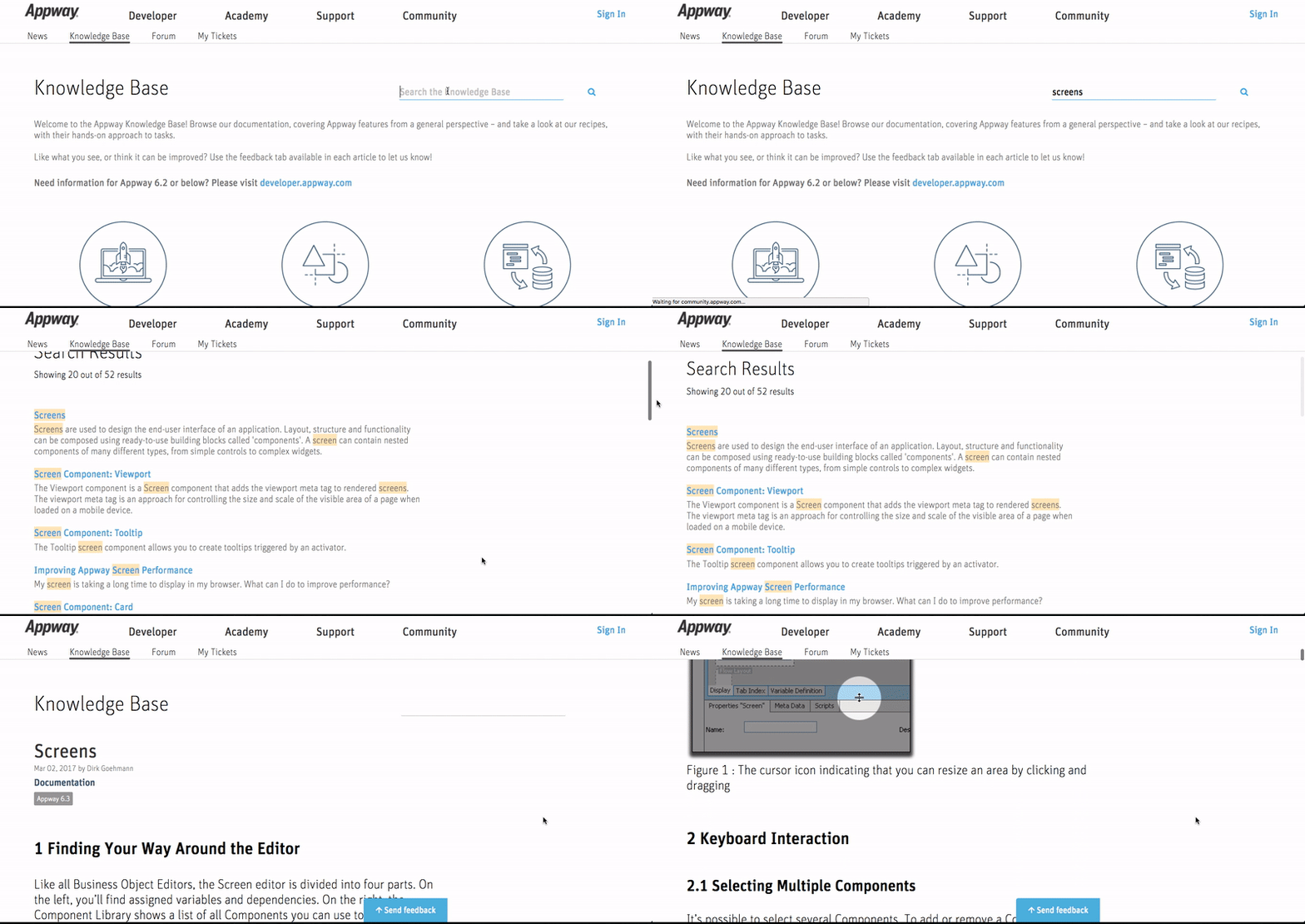
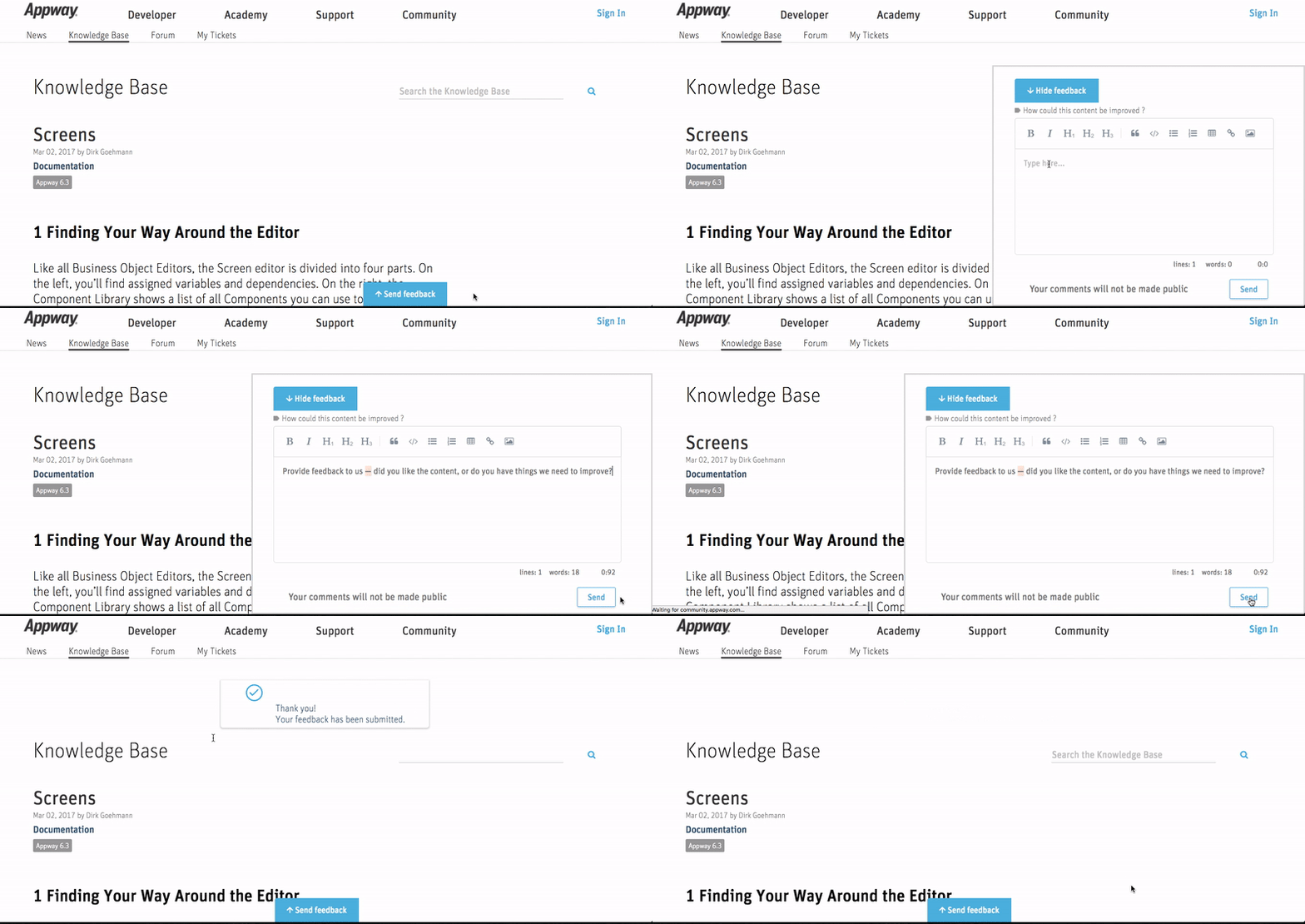
As well as being able to more easily find what you're looking for, we also wanted to make it simple for you to share feedback on our content. Look out for the blue button on our Knowledge Base articles — and instantly share what you think. Our Editorial team are immediately notified, and can start working on your input.
The newest addition to the blog, the newly-launched Partner Blog posts share the great things our partners do. Appway is proud to work with a select group of partner companies across the world. Offering consulting, implementation and technology services, our partners are an integral part of our community, and our success.
The next thing we'd like to highlight in this post are the changes we made to the Support UI. We reduced the amount of screen real estate the Support ticket activity stream takes up: By default, only the three latest replies are shown. You can of course always expand the stream to see the complete activity history.
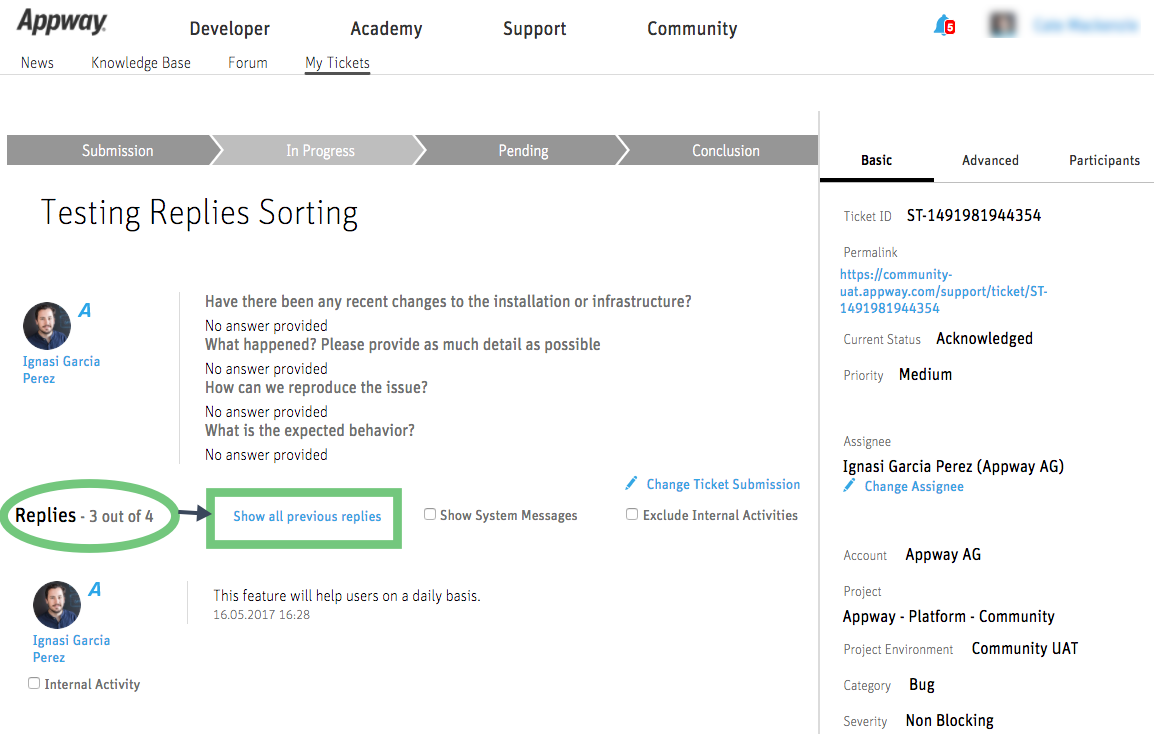
Support tickets now also show the size of an attachment, and we fixed the issue we had with PDFs not displaying for users with Chrome browsers.
Finally: What's in a name? For a lot of our Community members... é, ü or ä. Prior to this release, the first name/last name text entry fields in our registration screen (and elsewhere) only allowed characters found in the ISO basic Latin alphabet. Unfortunately, this meant many of you couldn't enter your names correctly. We apologize. We've extended the list of characters based on the Latin 1 and Latin Extended-A sets.
Other improvements include cosmetic changes to Partner Profile pages, improving the visual design of the Blog landing page, and bug fixes.
Any and all feedback on this latest release is very warmly welcomed! Please contact us at community@appway.com