Document Tracker is a legacy component and is End of Support (EOS) as of March 2023 (see
details). Recommended action: Consider adopting
Digital Binder v5 or higher.
Managing documentation is a common requirement in the banking industry, no matter what the segment or the interaction mode. Documents need to be generated correctly, prefilled, dispatched, signed, collected, tracked, approved, stored and archived. Document management has been paper-based and fragmented for a long time, leading to confusing and time-wasting tasks.
In this context, Appway supports the industry with a tool that ensures a seamless, efficient and effective document management across different banking segments, from Retail Banks to Private and Investment Banks.
Document management in Appway is performed through two main components:
- Document Generator (DG)
- Document Tracker (DT)
Document Generator and Document Tracker interact with other components such as the Identification Manager and Signature Manager:
- Identification Manager: during the identification process, the final customer uploads the ID card or passport, and this has to be automatically set in the DG/DT.
- Signature Manager: the final customer might decide to sign a document electronically. In this case, the Signature Manager needs to be plugged in between DG and DT.
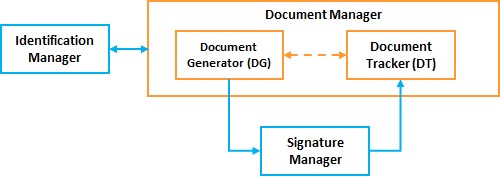
The Document Tracker component covers the monitoring of document life from their generation to their final upload/scan, it allows checking activities and approvals/rejections, it supports due date definition, reminder alerts and pending management, and finally, it enables correct archiving of finalized forms.
In the context of the 'Onboarding for Retail' and 'Onboarding for Wealth' solutions, document tracking is performed internally in the bank during the Processing phase. The system must be able to track and harmonize both digital and wet-signed documents, as well as digital/scanned evidences.
Other capabilities of the Document Tracker are:
- Reception of digitally-signed documents.
- Approval management: Approve, return, reject, escalate on one single document (for signature verification and data/document quality verification).
- Pending management (due date): A due date is configurable at document level. The interface shows this due date and/or a traffic light icon (green, yellow, or red icon, as in the BAM SLA). An alert message functionality can be set up the project level.
- Upload of the scanned version of an ink-signed document.
- Assignment of a scanned document to a related Process Instance through a barcode.
- Delete/Re-upload functionality for version management.
The Document Generator uses the following patterns:
- Activity Screen
- Document list
- Sidebar
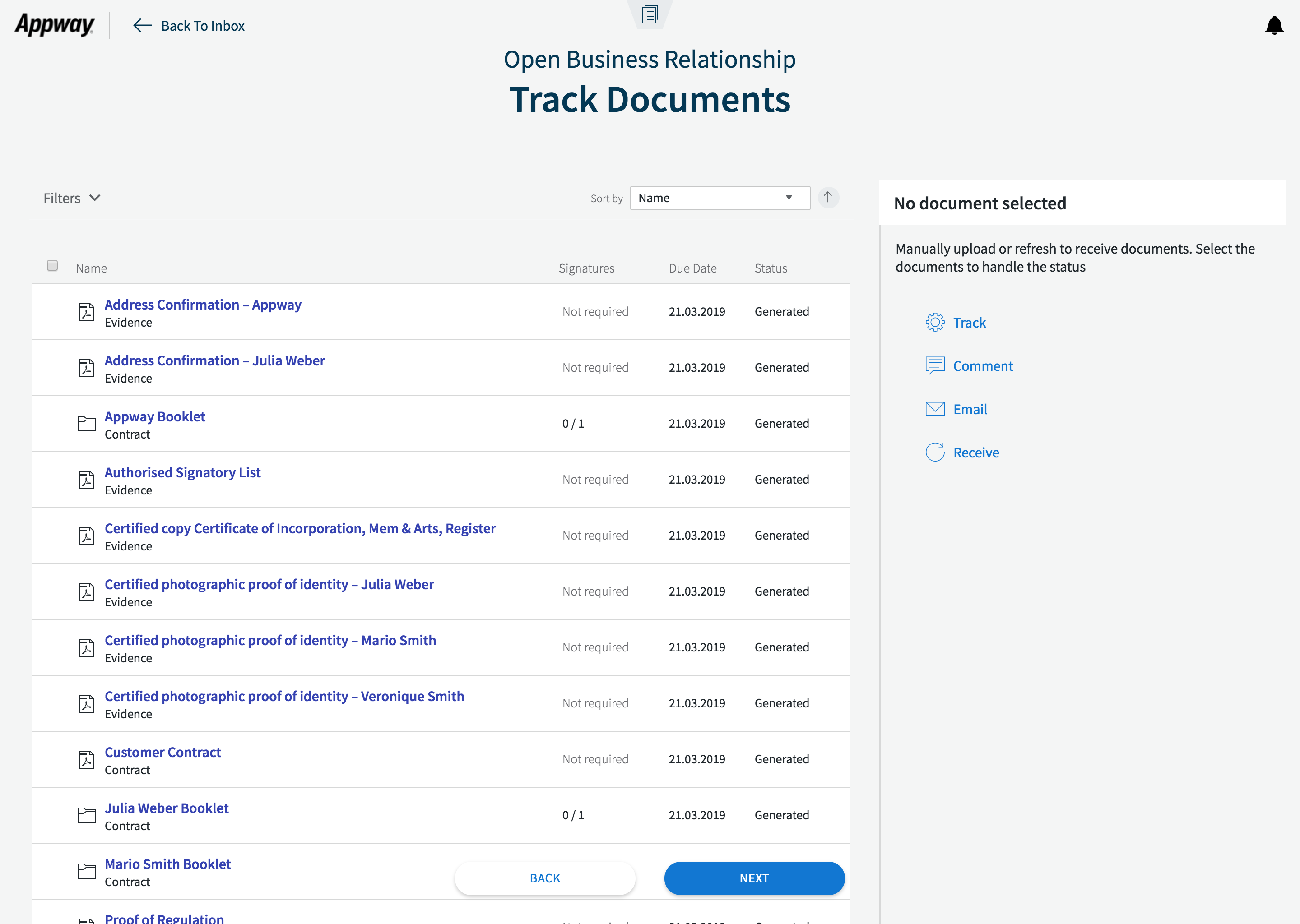
The following figure shows the Document Tracker in its initial state — no document has been received.
As in the Document Generator, the Document Tracker page is divided into two areas: the list of documents to be tracked on the left, and the document actions on the right. The two-column layout gives users the overview of the documents while configuring a selected action in parallel.
The Document List features all the documents selected in the generation phase. This includes both single documents, and booklets. Booklet documents are characterized by a folder icon, with the enclosed documents shown in the selection detail in the sidebar. Documents containing comments are marked with an icon.
The basic workflow for tracking documents is:
- Initially, no documents have been received. By clicking the file name, you open the PDF preview of the generated (but not yet signed) document.
- Depending on the signature method, a document is received either automatically via an integrated service provider, or is uploaded manually.
- The uploaded or received document is viewed by clicking the file name.
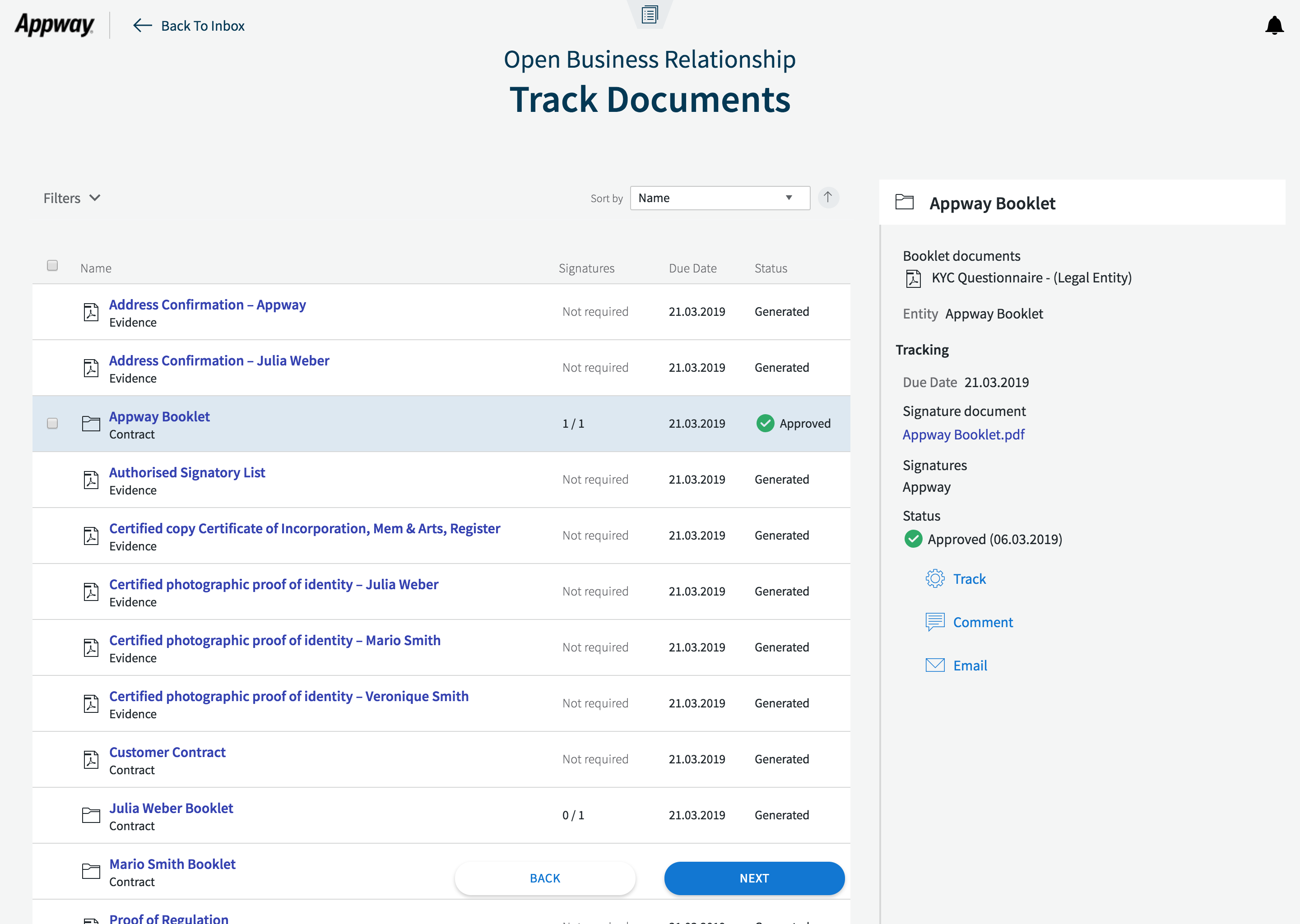
- The signing status is represented by two numbers (e.g. 0/1), the first indicating the number of received signatures and the second representing the total number of expected signatures. The tracking status is shown in the Status column.
Document actions are available in the right-hand sidebar. Invoking a batch action selects all documents and displays the action form. The document selection can be changed before the action is submitted.
The actions available in the sidebar are:
- Track: You can track a document by changing the due date, uploading the signed document, selecting the document quality and the approval decision.
- Comment: Comments are listed in a dedicated section. The comments added in the generation phase are available also in the document tracking phase.
- Email: You can send document as an email. The email actions are logged in a dedicated section.
- Preview: You can view the selected documents as PDFs.
The Document Tracker depends on:
- The Core Package DocumentManager, which contains the interface and the functionalities to create the document set.
- The DocumentManagerCommon Package, which contains the common logic used between DocumentGenerator and DocumentTracker Packages.
- The SignatureManager Package contains the interface to collect signatures for the documents.
Screen implementation is based on one simple rule: since the Design System is used, Templates and Screens were wrapped, when needed, to extend basic functionalities.
Check the Products page for compatibility information with the Appway Platform.
The following extensions must be installed:
- Functions (version compatible with Appway Core)
- Component (version compatible with Appway Core)
- DefaultIcons (version compatible with Appway Core)