Kubernetes/Helm
Kubernetes and Helm provide the following functionality:
- Kubernetes allows you to deploy and manage containerized applications.
- Helm simplifies the management of Kubernetes resources by providing an extra layer of abstraction.
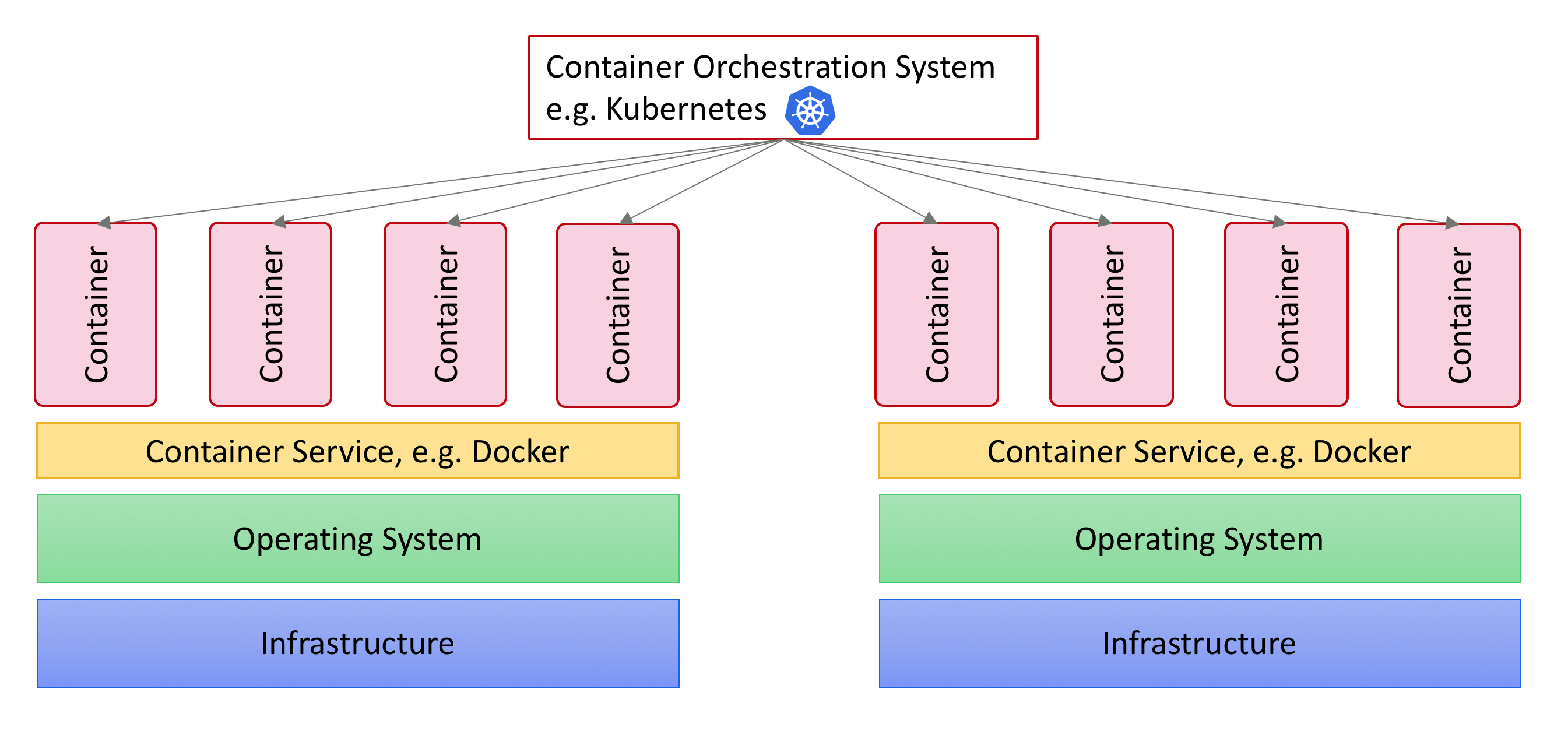
Beside installing Kubernetes and Helm, you also have to create the infrastructure where you will deploy Appway. Instructions explaining how to do this depend on where you create the infrastructure:
Helm and Kubernetes Resources
To be able to deploy and customize FNZ Studio, you need the Helm (Kubernetes) templates as well as the configuration values that are specific for each FNZ Studio environment.
It is important to separate the templates from the actual values since the same templates can be used to deploy multiple FNZ Studio environments.
You can find a Helm Chart for the Platform that can be extended to cover more complex scenarios in the following attachment (zip file): studio-4.0.0.tgz
The file contains:
-
The FNZ Studio Helm Chart (the "templates")
-
Example resources that show how the Helm Chart can be configured under
example-config. (the "values")
The provided example config can be used as a starting point for deploying FNZ Studio on Kubernetes.
Configuration
There are different ways to provide the configuration properties to an FNZ Studio instance. You can find more details here: Configuration Properties.
To use environment variables to configure the Platform, add them in example-config/values.yaml.
# file name: example-config/values.yaml
...
extraEnv: |
  - name: NM_SYSTEM_COLOR
    value: black
Note: A configuration properties file can also be mounted as a volume if this is preferred. See the dedicated section on volumes available with the official Kubernetes documentation for more details on how to work with volumes and to understand the advantages and disadvantages of using them.
License File
The Helm chart supports three license setups:
-
License is part of the Docker image. In this case, no further configuration is needed.
-
License is already a secret in the k8s cluster. In this case, update the
example-config/values.yaml file as follows:Copyappway:
license:
enabled: true
existingSecret:
name: studio-licenseand make sure the license is present with
$ kubectl get secret -n appway-ns. -
License secret generated from a file. In this case, check section "License file" in the
README.mdfile of the Helm chart.
Secret
Since the FNZ Studio image is stored in a private repository,you need to provide the registry, username, and password in the example-config/values.yaml. The Helm chart will then create a Kubernetes secret to access it.
See templates/docker-image-secret.yaml to see how this is implemented.
For more information, see the related article available with the official Kubernetes documentation.
Role Binding
Role Binding allows Hazelcast access to the Kubernetes API. This is used by the KubernetesHazelcastDiscovery extension to discover and connect the cluster nodes.
See templates/rolebinding.yaml to see how this is implemented.
For more information, see the related article available with the official Kubernetes documentation.
Access Service
Service to be able to access FNZ Studio. See templates/service-appway.yaml to see how this is implemented.
For more information, see the related article available with the official Kubernetes documentation.
StatefulSet
StatefulSet that can be used to deploy multiple FNZ Studio instances:
Note: This example assumes that the Docker image you built and are using contains an FNZ Studio extension for the Cluster Storage (e.g. AzureHazelcastStore, AWSHazelcastStore, CassandraHazelcastStore, RelationalDbHazelcastStore). The credentials for these extensions can be specified using environment variables as shown above.
See templates/statefulset.yaml.
This StatefulSet is customized by using an external file with configuration values, see example-config/values.yaml.
For more information, see the related article available with the official Kubernetes documentation.
Helm Chart
See Chart.yaml
Using the Helm Chart
See System Installation Using Containers (2026) (section Deploy the Platform and following) to deploy, configure, upgrade, and stop FNZ Studio.